Reporting & analysis
The big picture.
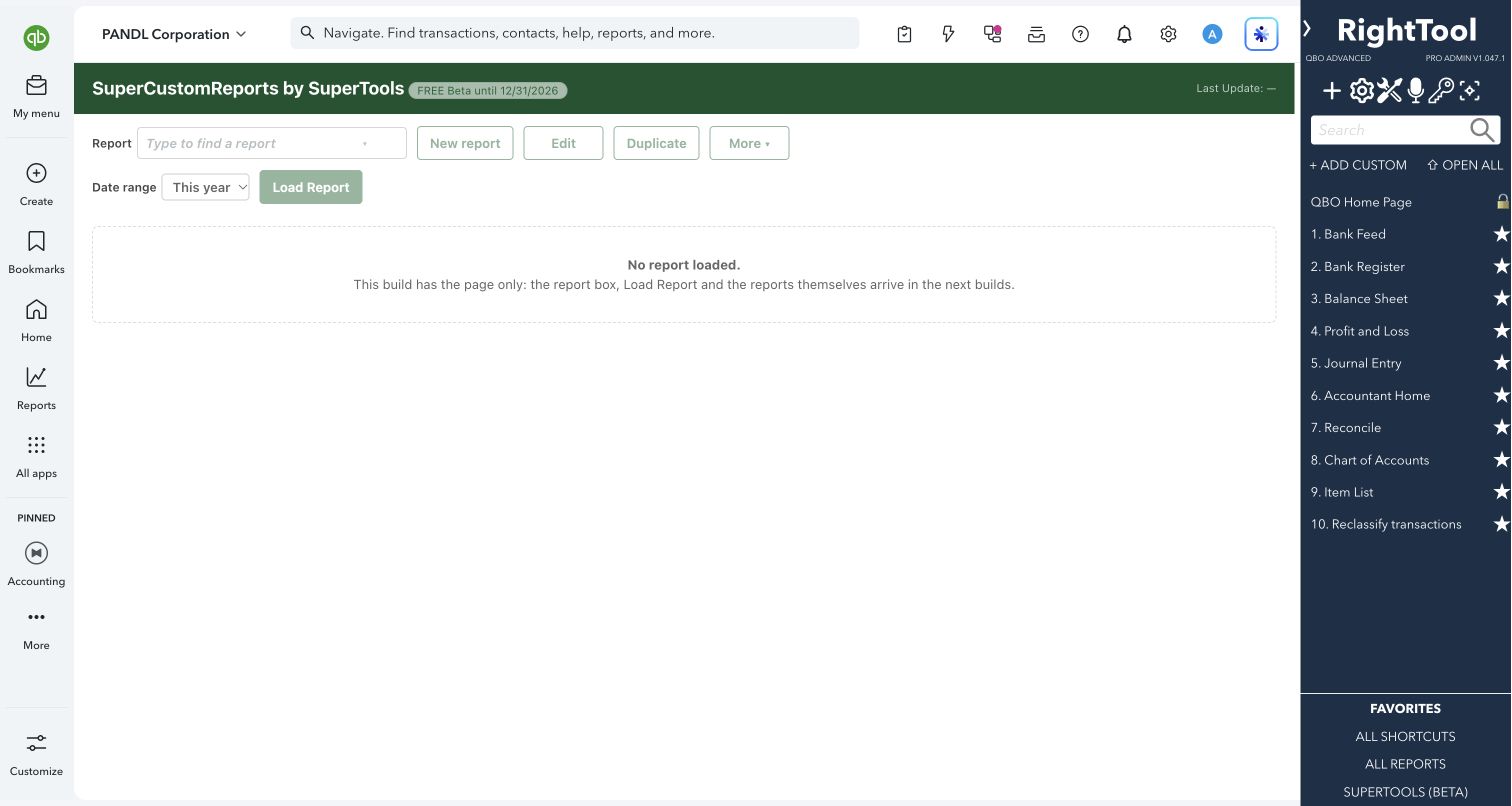
SuperCustomReports is a new SuperTools page being built for reports you design yourself, inside QuickBooks Online. This early Beta build puts the page in place: you can open it and see its report controls. The controls stay greyed out until the reports themselves arrive in upcoming builds.
Accountants, bookkeepers and business owners who want an early look at SuperTools' newest reporting tool.
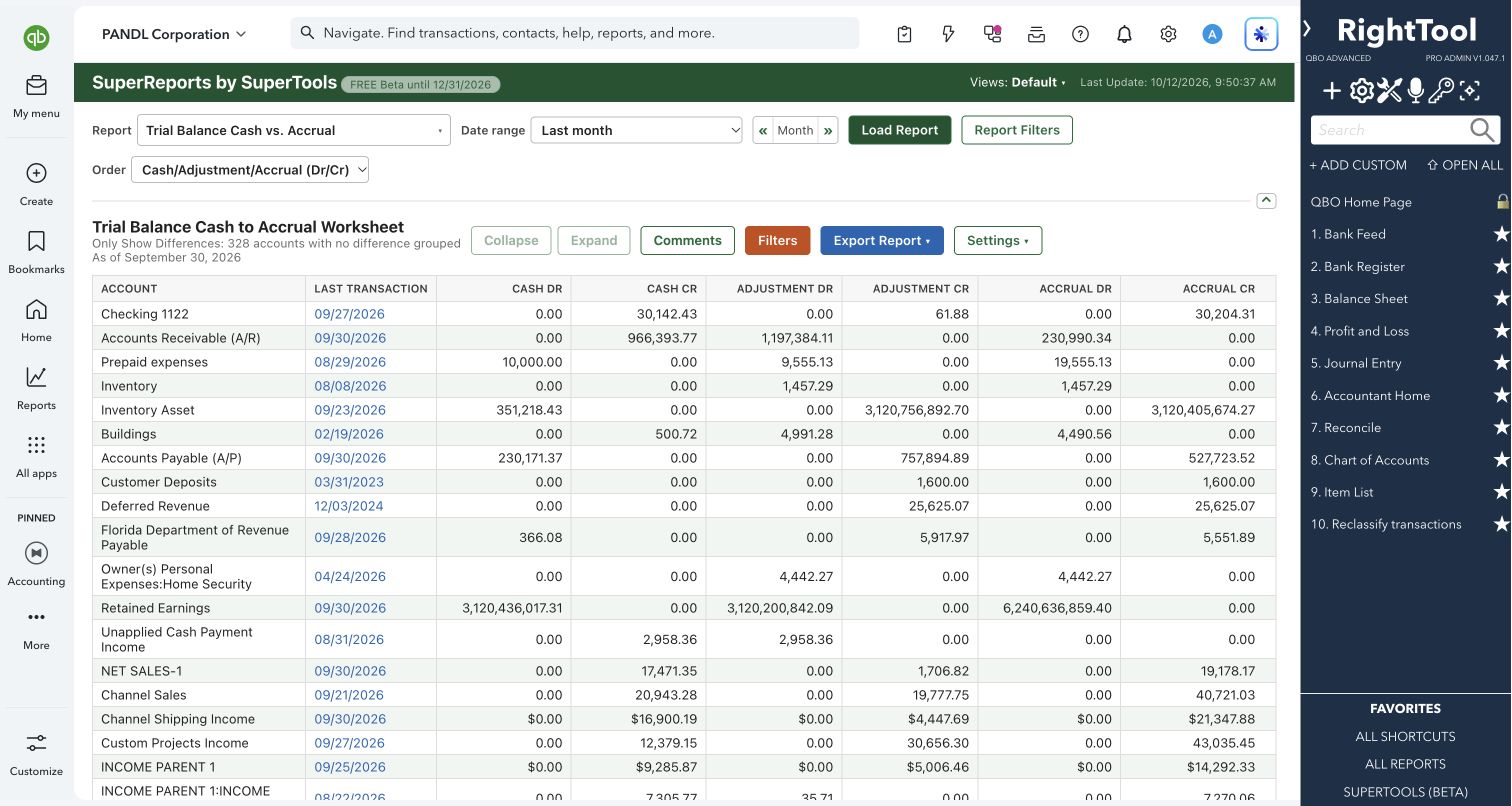
SuperCustomReports is coming soon. This preview shows the upcoming page; report controls are not available yet. For standard reports today, explore SuperReports.
COMING SOON
A look at the upcoming tool.
This build shows the preview screen only. Additional workflow steps will be available when the report controls are released.
What you can do
- Open SuperCustomReports from the SuperTools sidebar as its own full page inside QuickBooks Online, with QuickBooks' own sidebar and top bar still in place.
- See the layout the reports will use: a Report box for templates and your own reports, New report, Edit, Duplicate and More buttons, a Date range picker and Load Report. All of them are greyed out in this build.
- Turn it on or off from Home in the SuperTools S menu. Switching it off removes its link from the sidebar.
- If it's switched off and you open its page anyway, you get a short note naming the settings to turn on, instead of a blank page.
- If part of the page fails to load, it shows which piece is missing and how to fix it: reload the page, or reload SuperTools from Chrome's extensions page.
Why it makes a difference
- It has its own full page in the SuperTools sidebar, next to the other SuperTools.
- It is built only to read your books. Nothing in it writes to QuickBooks.
- It has its own on/off switch, so you can keep it out of your sidebar until you want it.
Put it to work
- Early look: open the page to see where your custom reports will live before they arrive.
- Tidy sidebar: switch it off until the reports are ready, then switch it back on.
COMING SOON · NARRATED PREVIEW
SuperCustomReports — coming soon preview
Safe by design
- Nothing in SuperCustomReports creates, changes or deletes anything in QuickBooks.
Good to know
- Early Beta: this build has the page only, with its report controls greyed out. The page itself says the report box, Load Report and the reports arrive in the next builds.
- Enable SuperCustomReports from Home in the SuperTools S menu when it becomes available.
- For QuickBooks' standard reports with more control today, use SuperReports, a separate SuperTool.
How to open it
SuperTools sidebar → SuperCustomReports
Install the SuperTools extension, then open the SuperTools S menu in QuickBooks Online, choose Home, and enable the tool there.
View beta setup steps