Super Search Coming Soon
Find transactions with date, amount, type and other filters. Search is free and read only. The View as Report workflow requires SuperTools Suite access.
Explore Super Search →
The big jobs. The repetitive clicks. The “there has to be a better way.” Meet the SuperTools Suite: 29 SuperTools and growing, built to help you do more right inside QuickBooks Online.
Your reports. Side by side. Every number, a little clearer.
Every transaction line in one view. Find the problem and fix it in place.
From spreadsheet rows to QuickBooks records. Map, review, then post.
STAY WHERE THE WORK HAPPENS
Open SuperTools from your QuickBooks Online sidebar. Batch-edit transactions, enter data in bulk and build reports in the workspace you already use.
No need to log in to another app to do the work.Built for accounting firmsLESS FRICTION. MORE FORWARD.
Start with the job you need to do.
There’s a SuperTool for that.
Run, compare, drill into and explain your reports.
ReportingGet to the right transactions and clean them up in bulk.
Transaction cleanupEnter, adjust and organize the work behind the books.
Journals & registersImport transactions, organize accounts and move data.
Imports & setupManage contacts, collections, vendor details and jobs.
Customers & vendorsBuild schedules and track the details beyond the ledger.
Schedules & moreMEET YOUR NEW TOOLKIT
Every tool, explained.
Explore features, examples and the details.
29 tools in your toolkit
Compare at a glance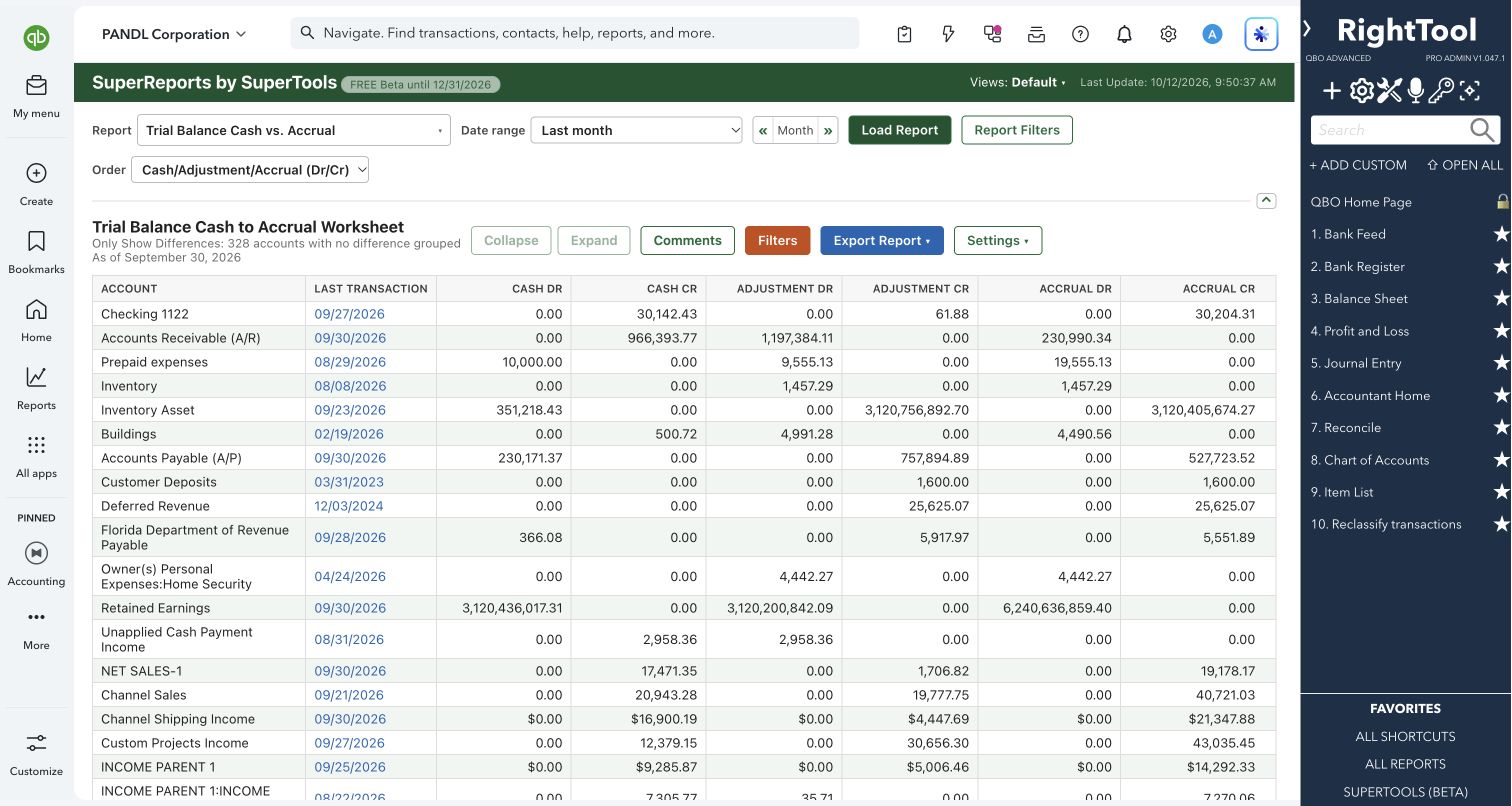
93 report choices, six Super Summary templates, cash-to-accrual worksheets and transaction drilldowns—inside QuickBooks Online.
Explore the tool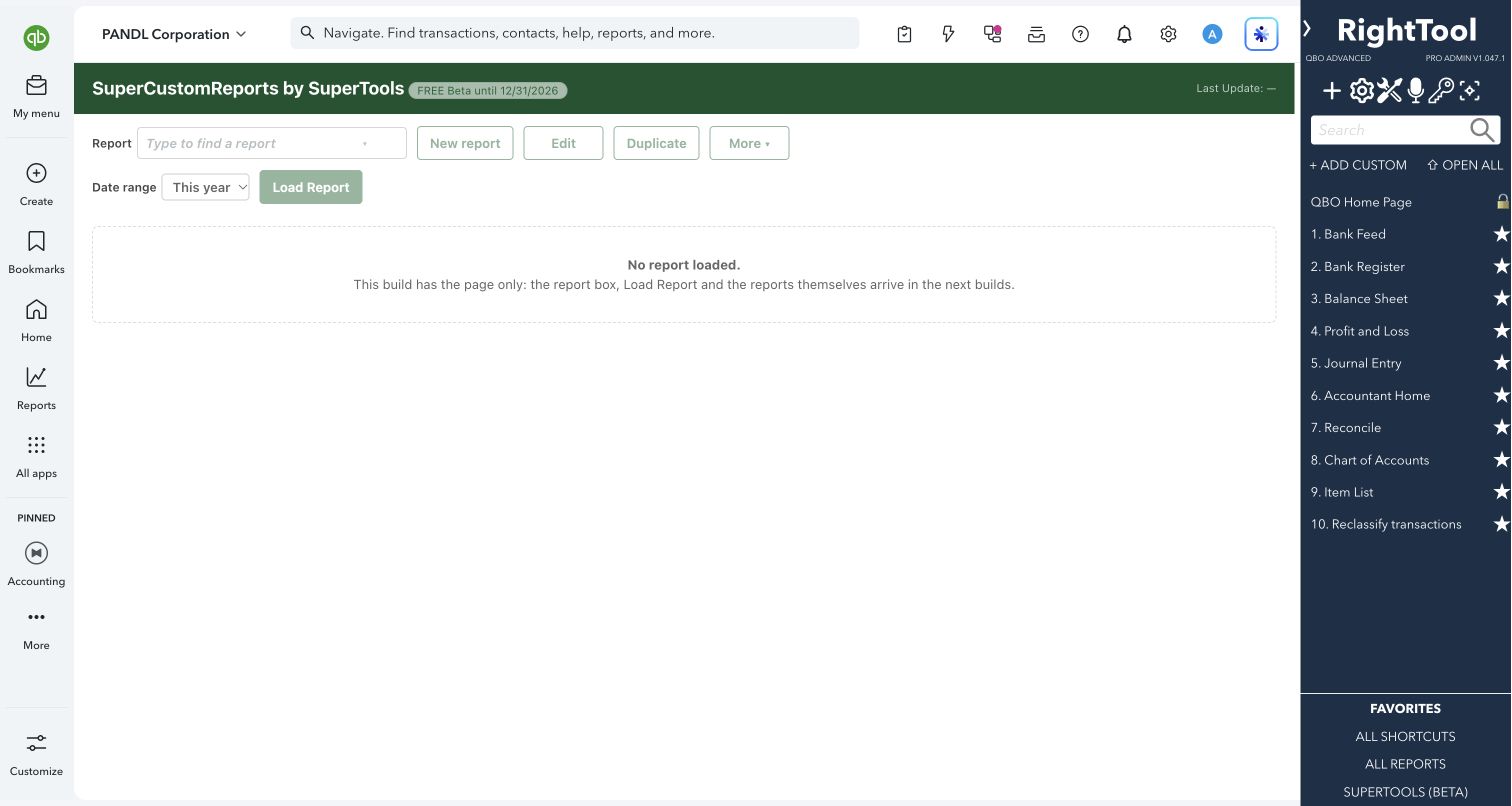
A new SuperTools page for reports you design yourself, now in early Beta.
Explore the preview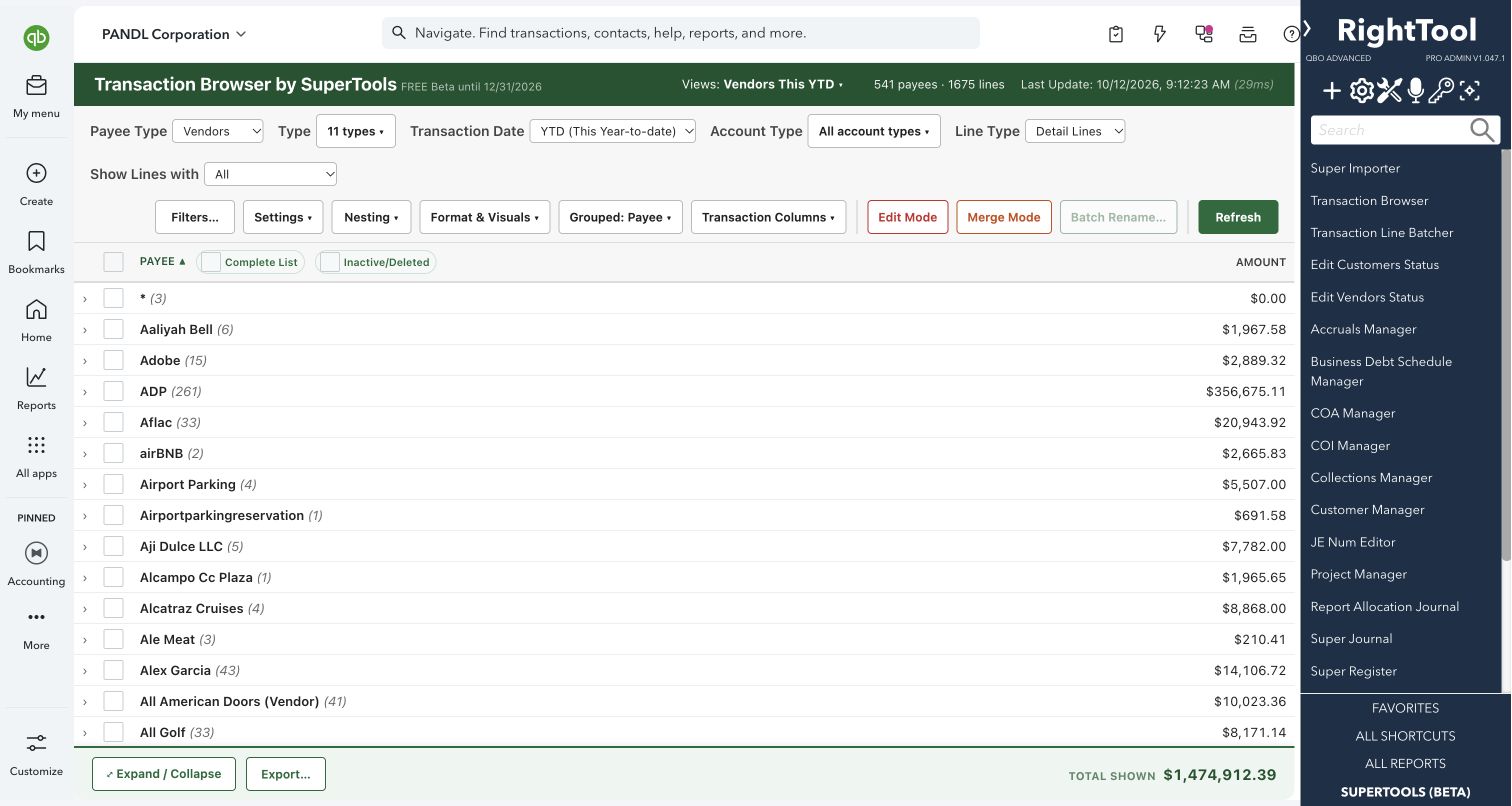
See every transaction line in one pivot-style view, and fix what you find on the same screen.
Explore the tool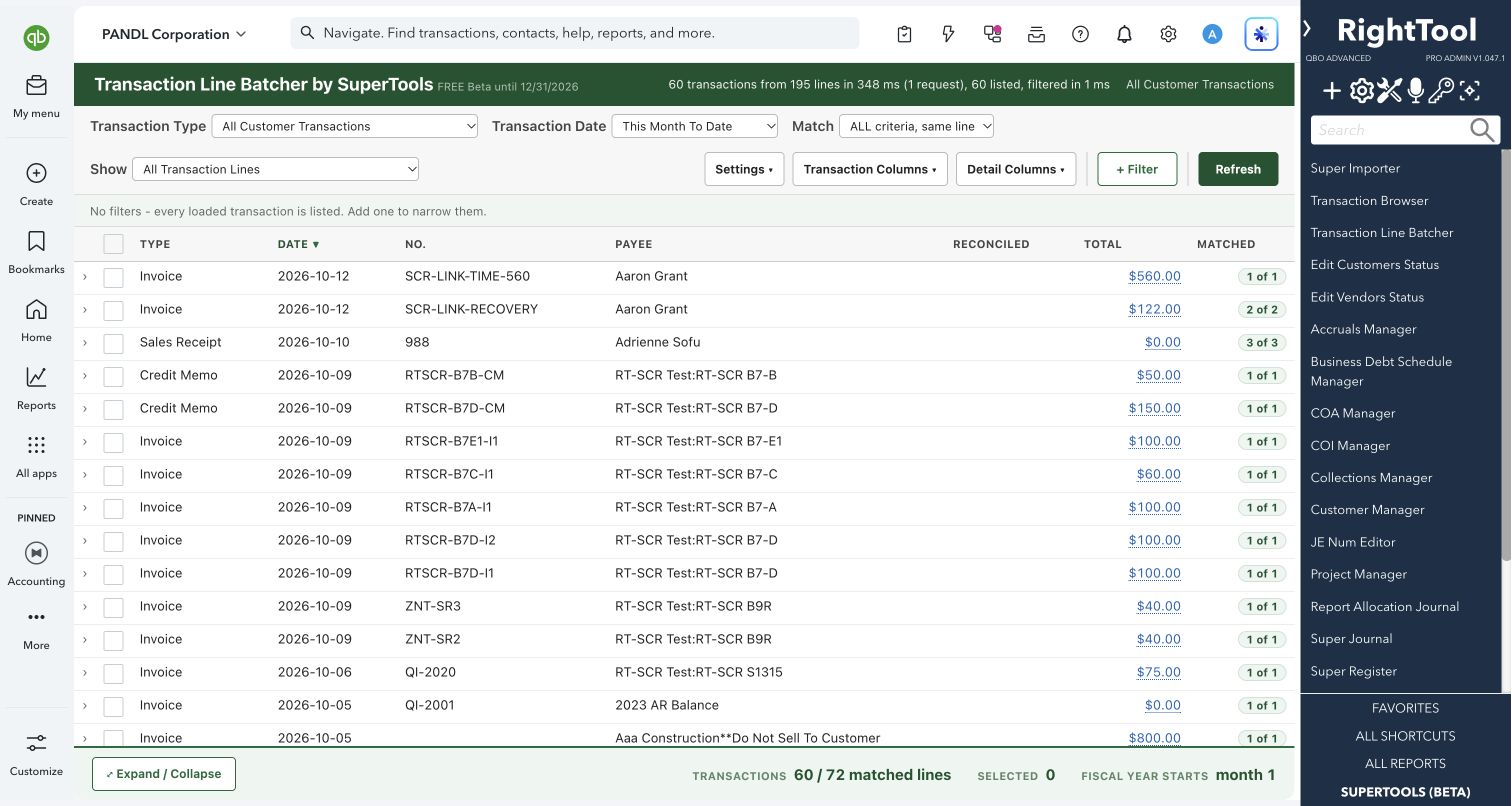
Swap items, fix descriptions or add fees on the lines of hundreds of transactions at once.
Explore the tool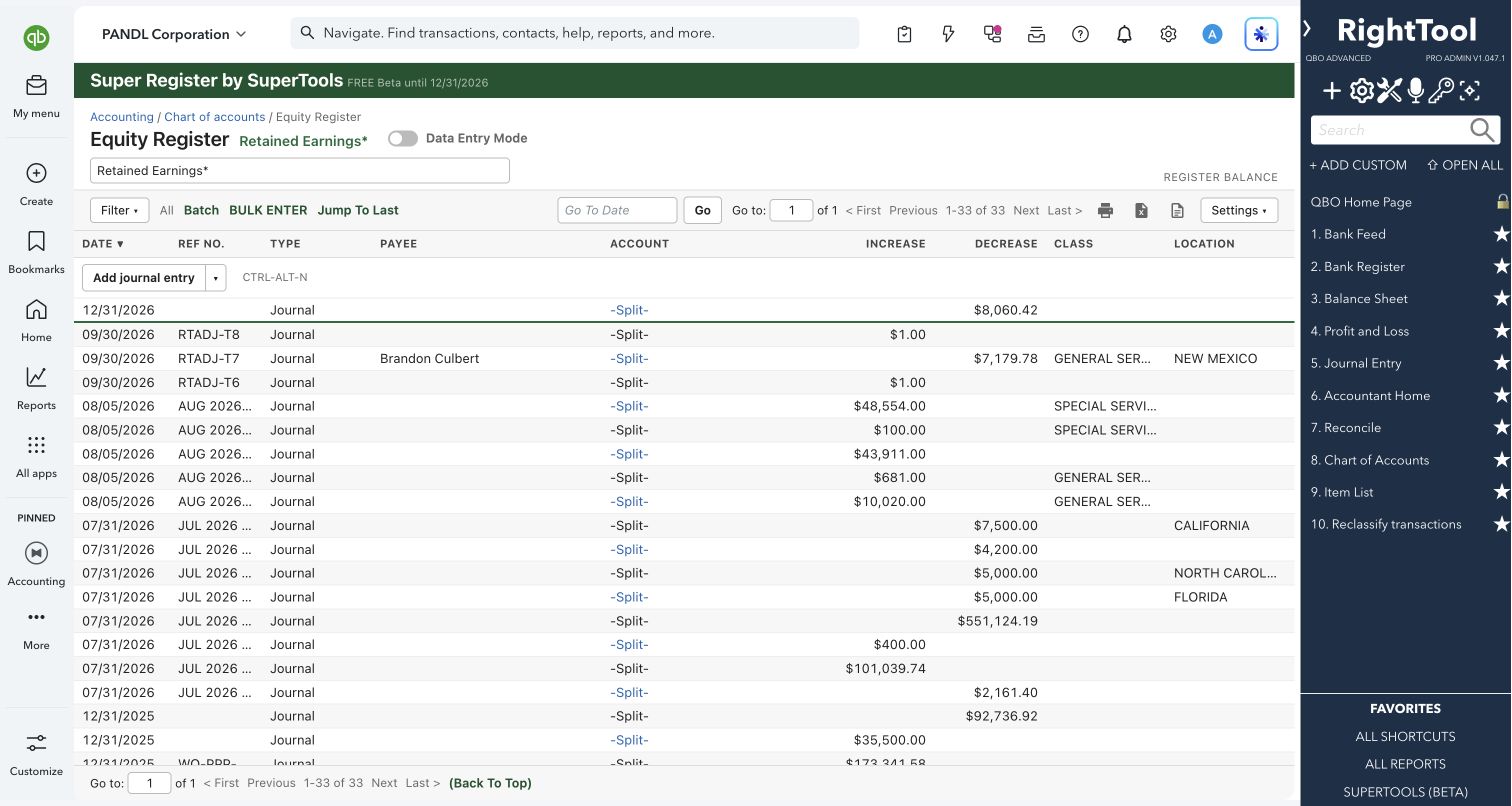
The QuickBooks Online account register, rebuilt for batch work, bulk entry and better filters.
Explore the tool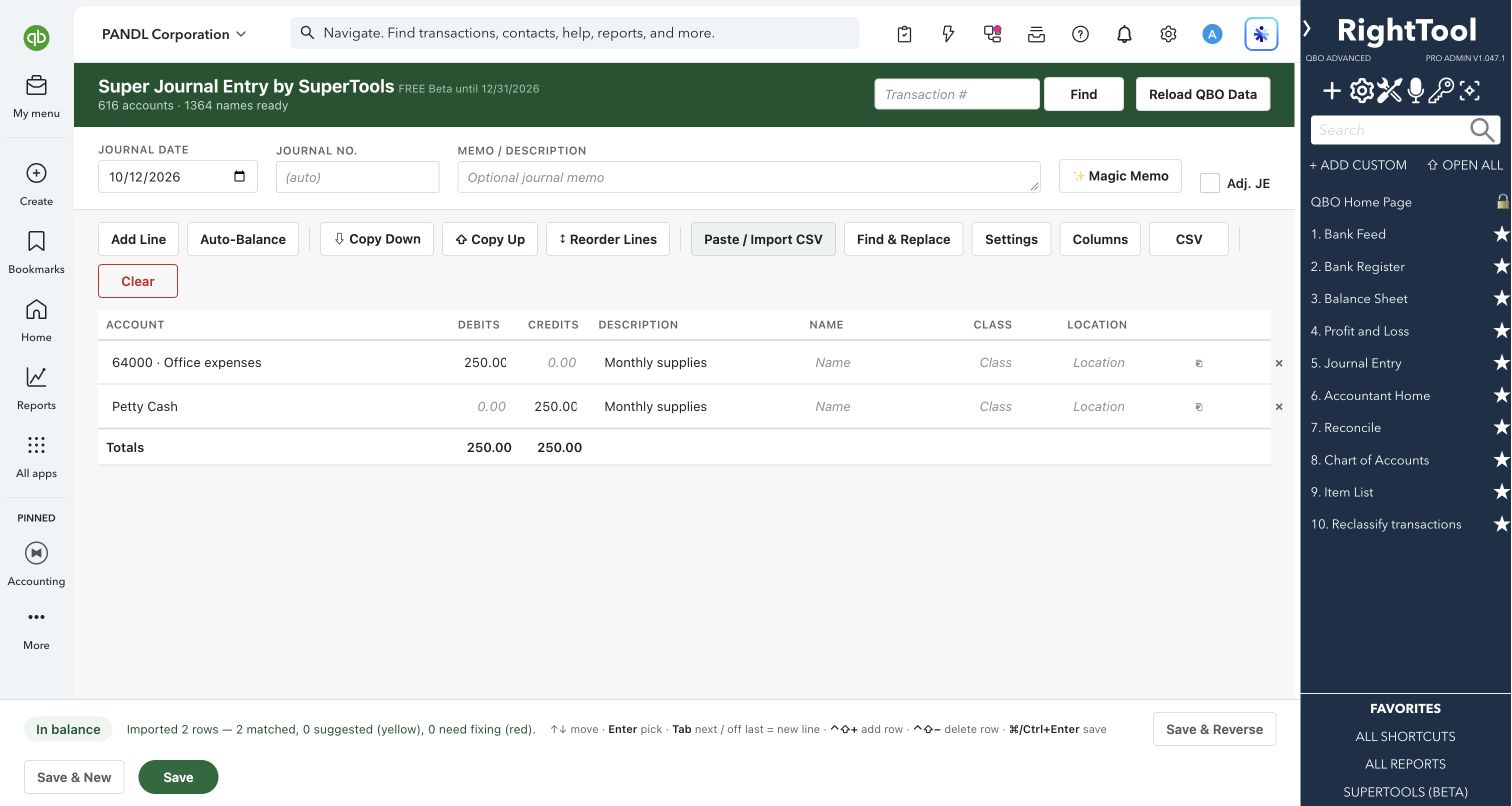
A fast, keyboard-first journal entry screen that pastes from Excel and won't save an unbalanced entry.
Explore the tool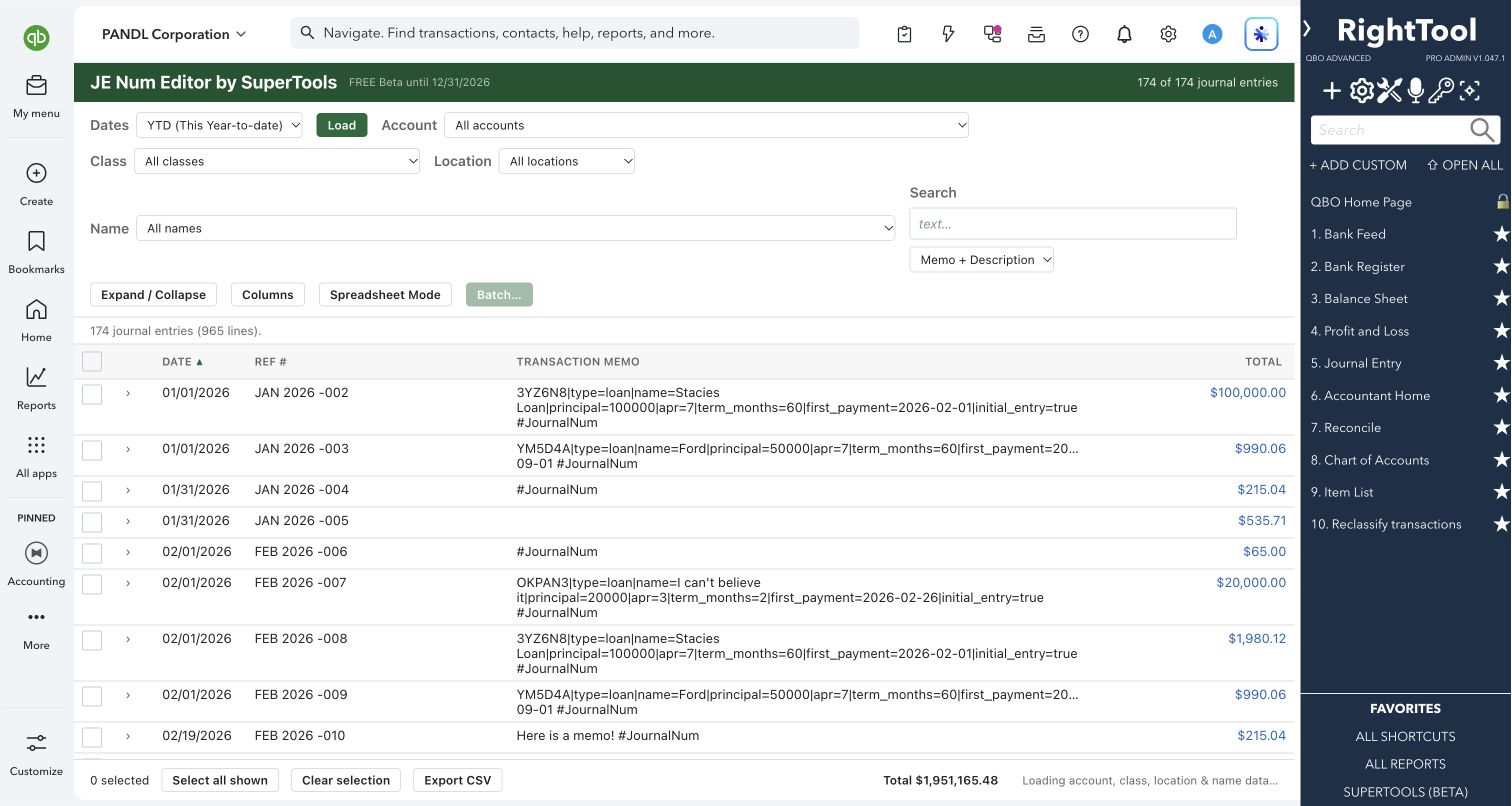
Renumber, re-date and re-memo journal entries in bulk, with a preview and a duplicate check before anything changes.
Explore the tool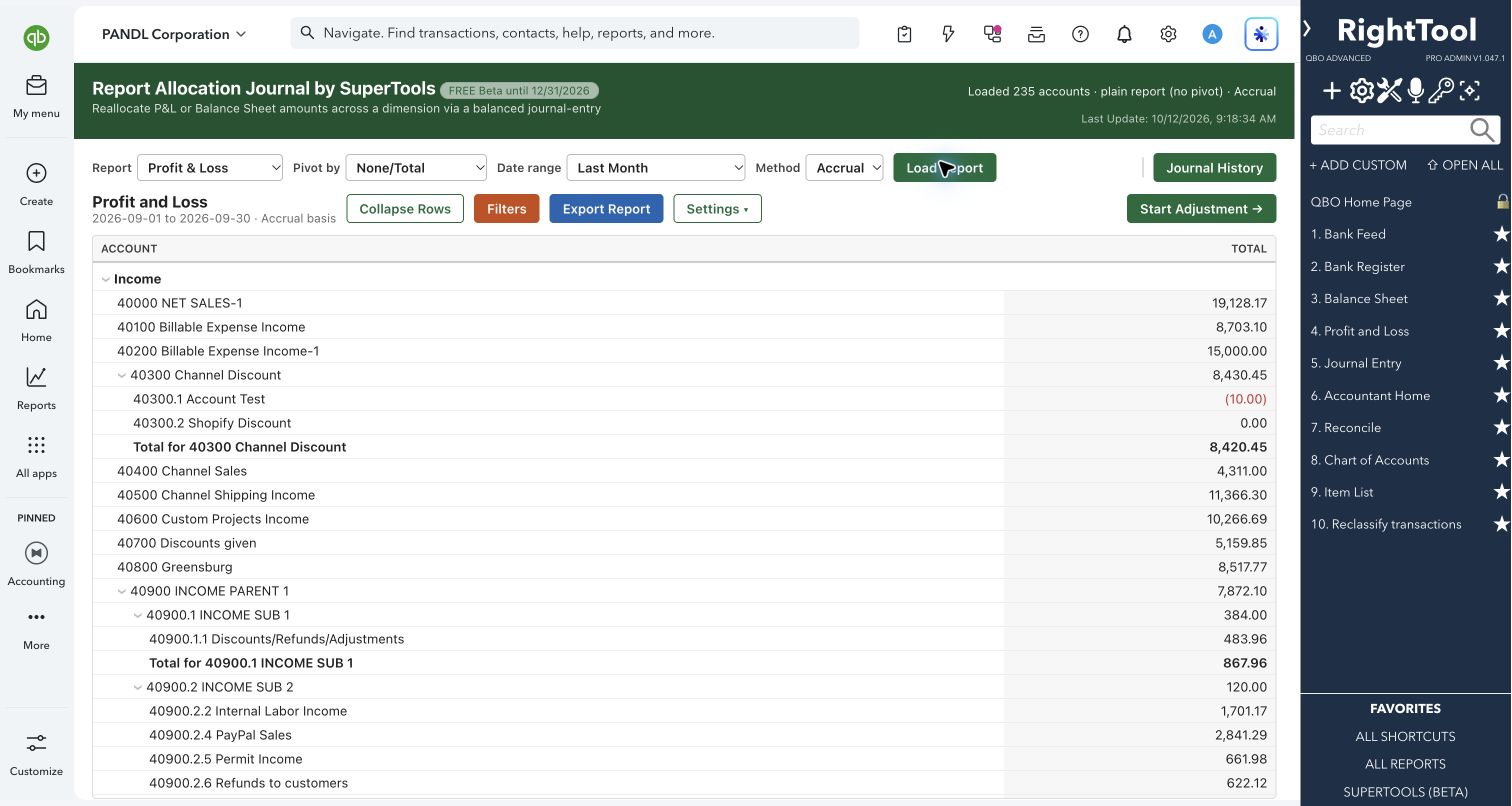
Turn a report into a balanced journal entry: reallocate or adjust balances right from the numbers.
Explore the tool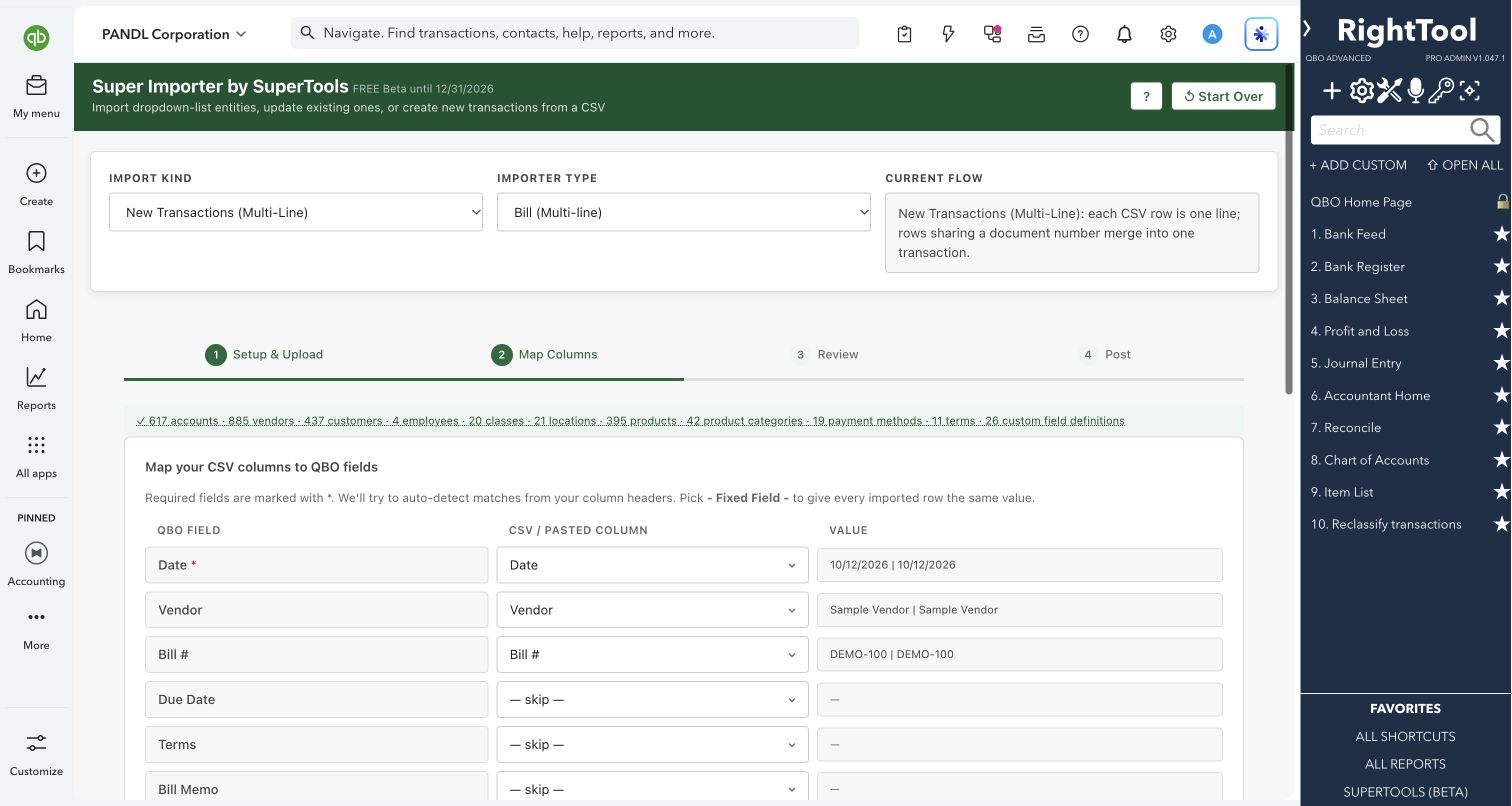
Bring transactions and list records into QuickBooks Online from a spreadsheet, with name matching, review and error reports built in.
Explore the tool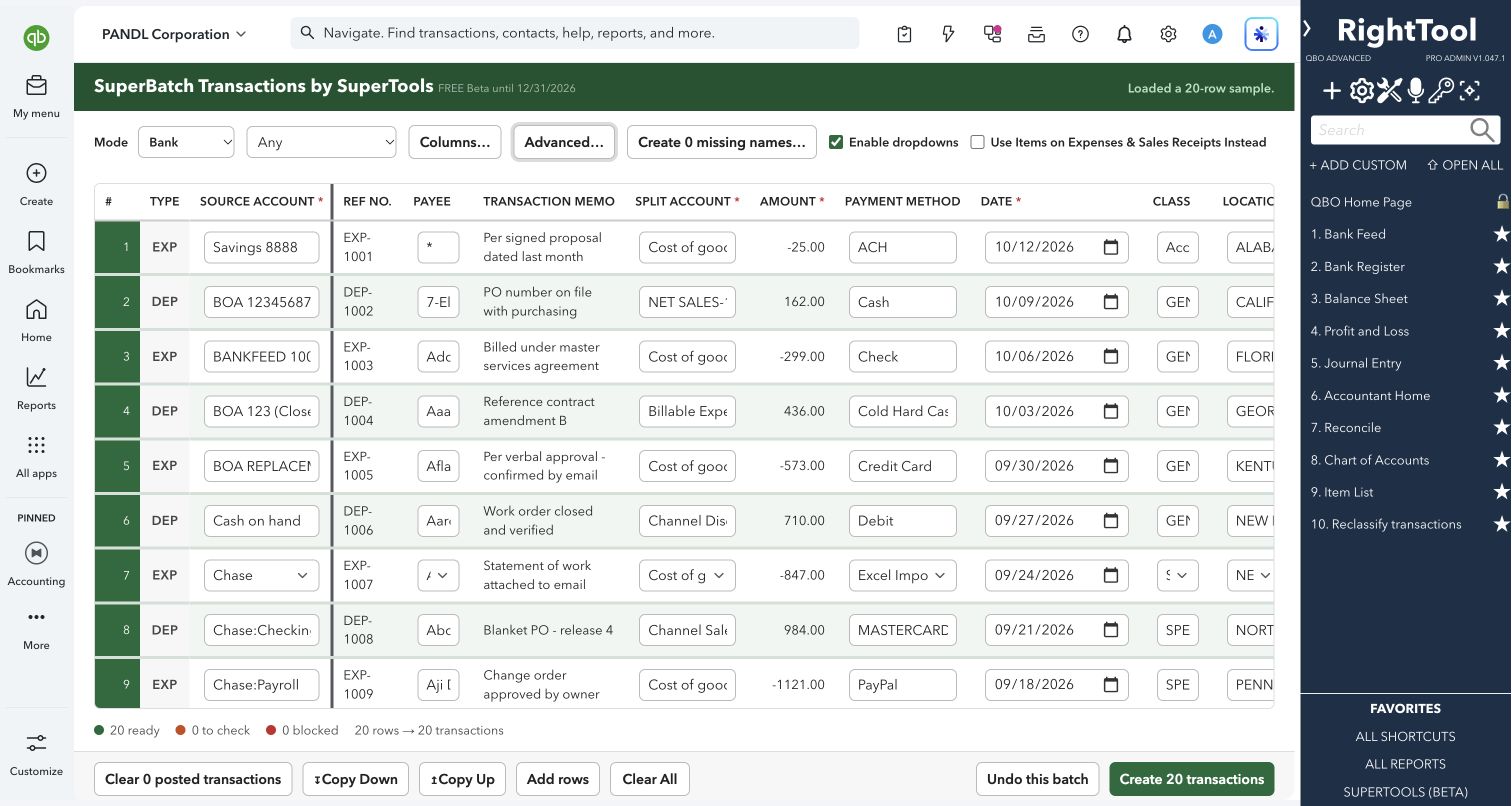
Paste a bank or credit card spreadsheet and turn every row into a QuickBooks Online transaction.
Explore the tool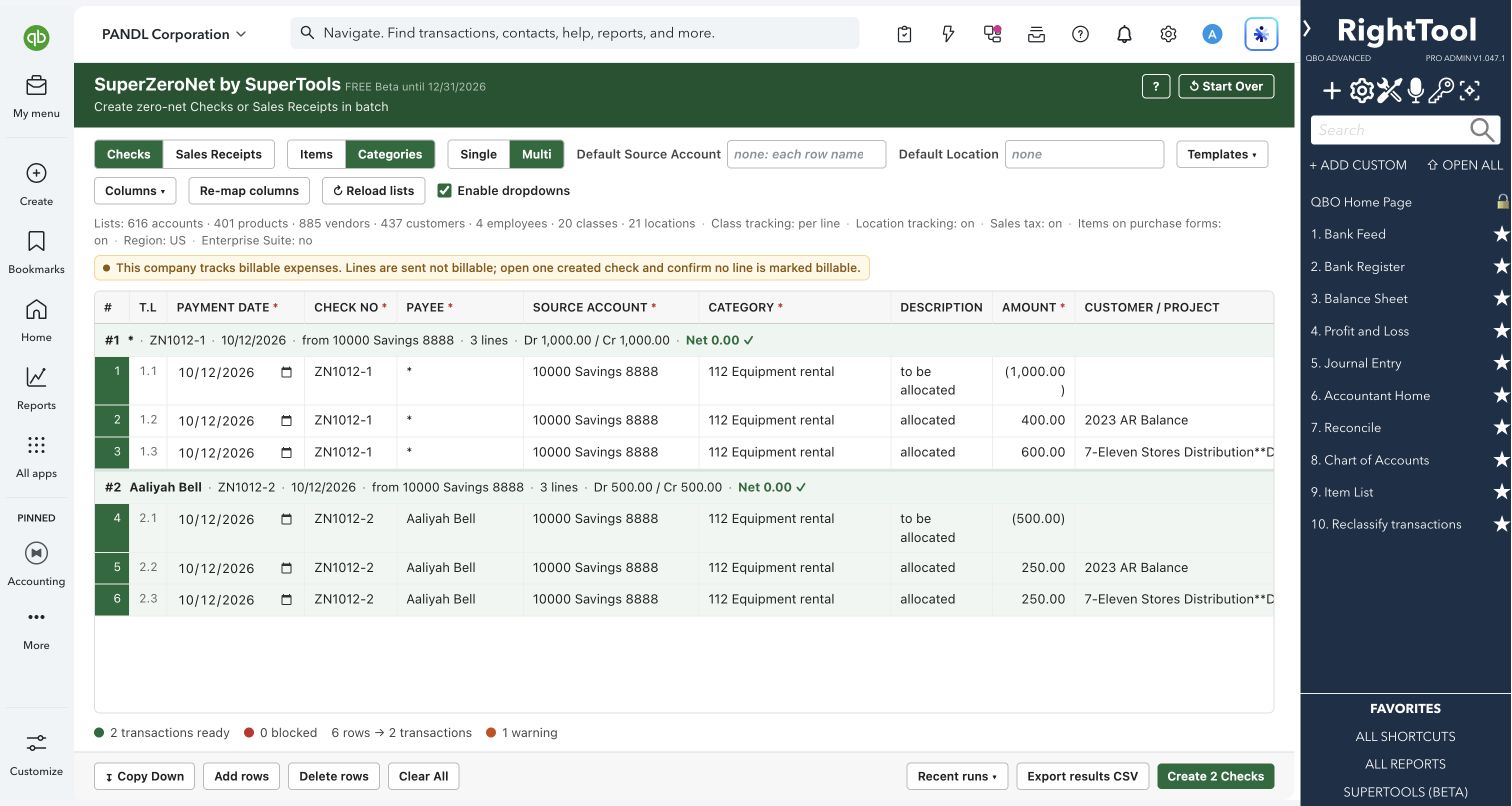
Create batches of zero-net checks and sales receipts for allocations and reclasses, straight from Excel.
Explore the tool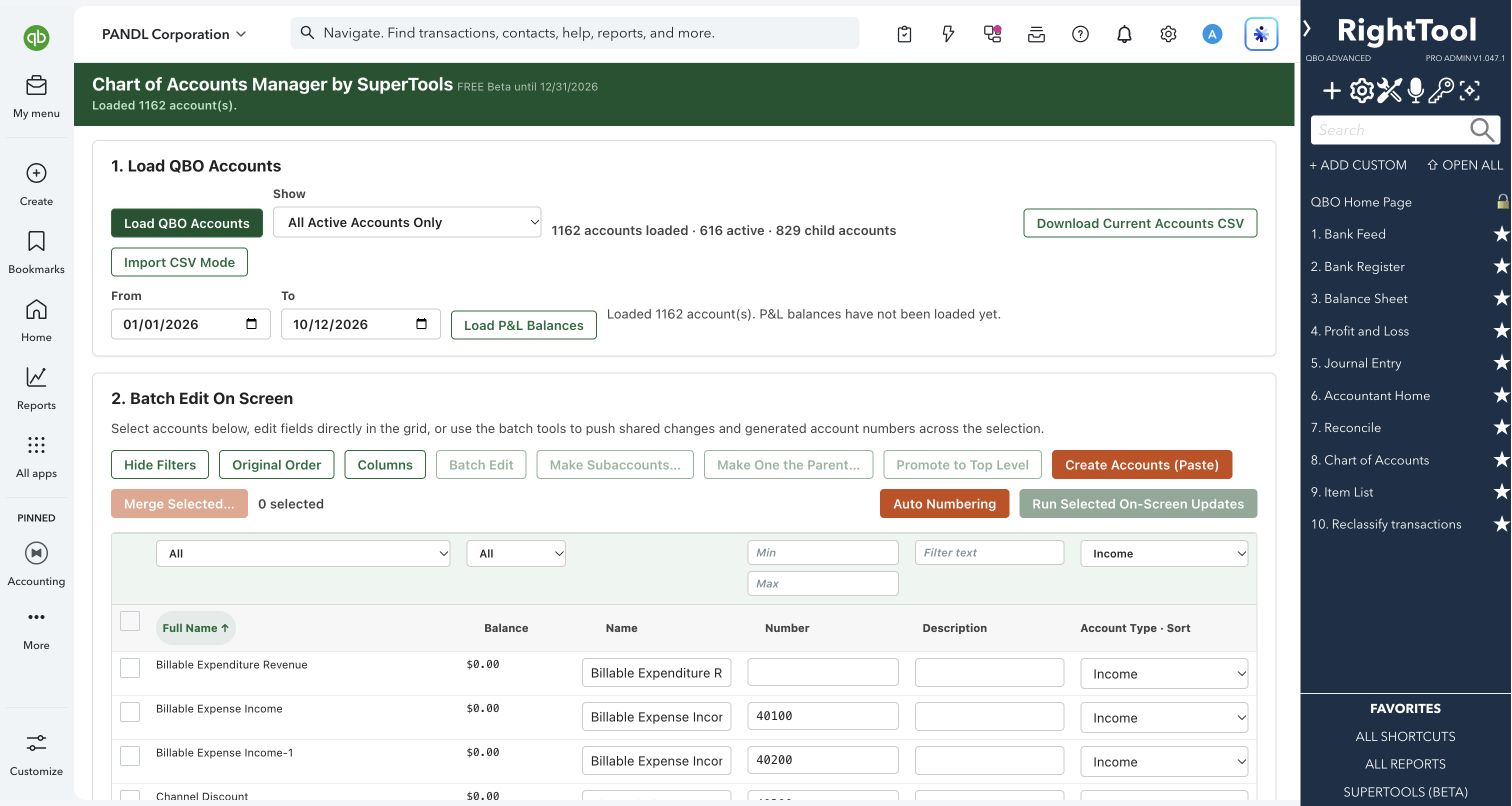
Clean up, renumber and restructure your chart of accounts in bulk.
Explore the tool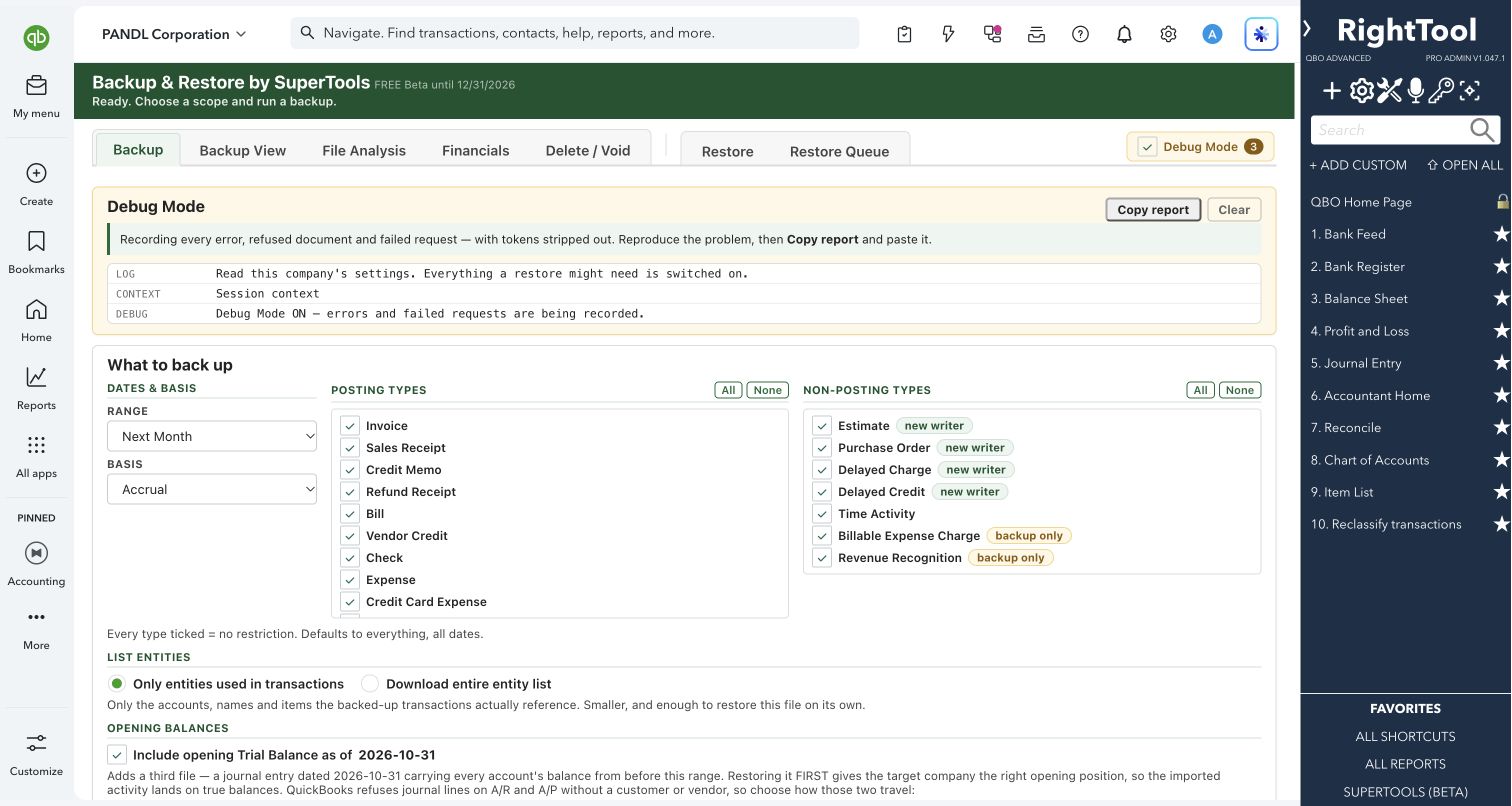
Copy a company's transactions out of QuickBooks Online to CSV, check them against QuickBooks' own numbers, and replay them into another company.
Explore the tool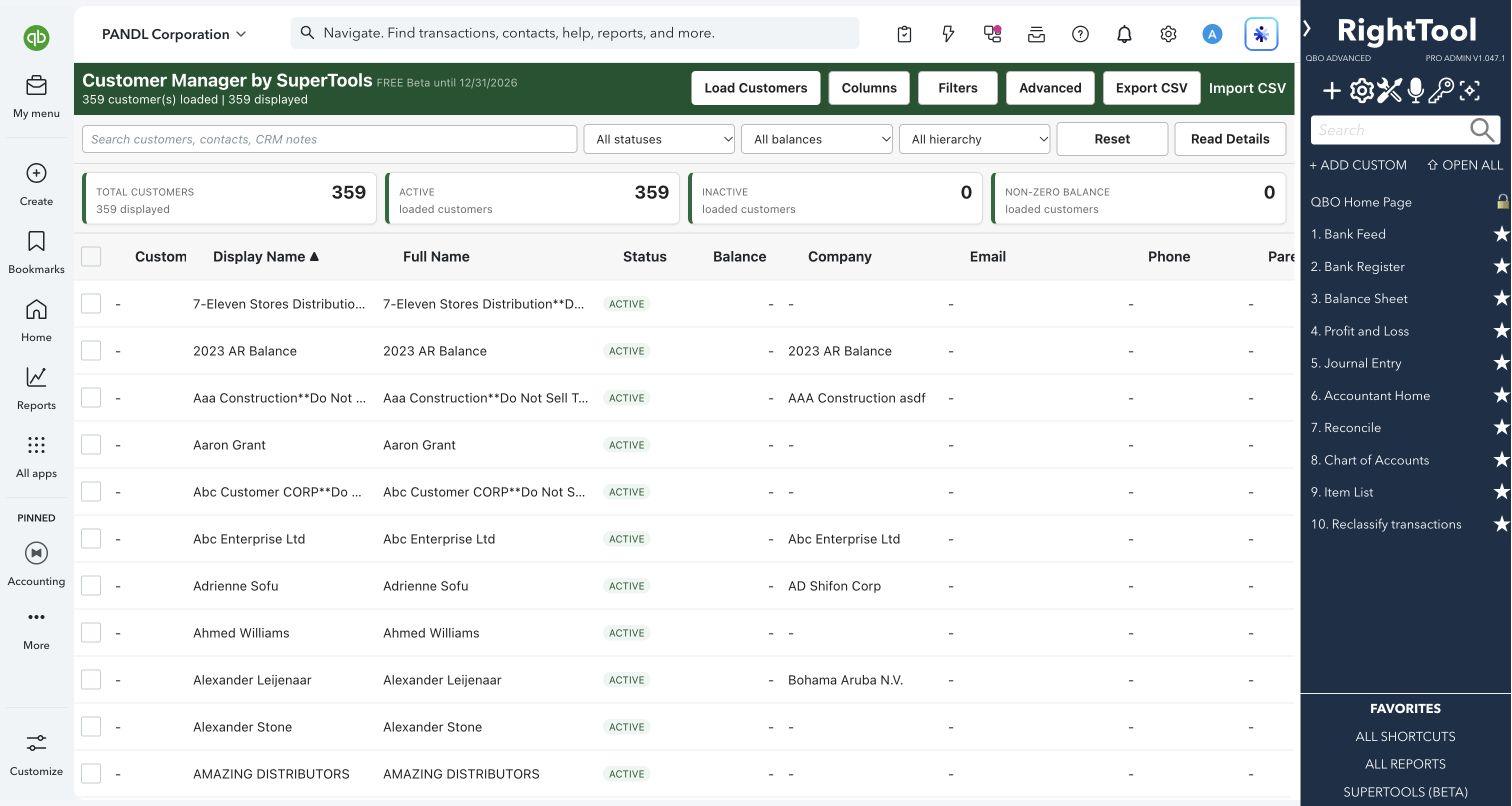
A simple CRM built on top of your QuickBooks Online customer list.
Explore the tool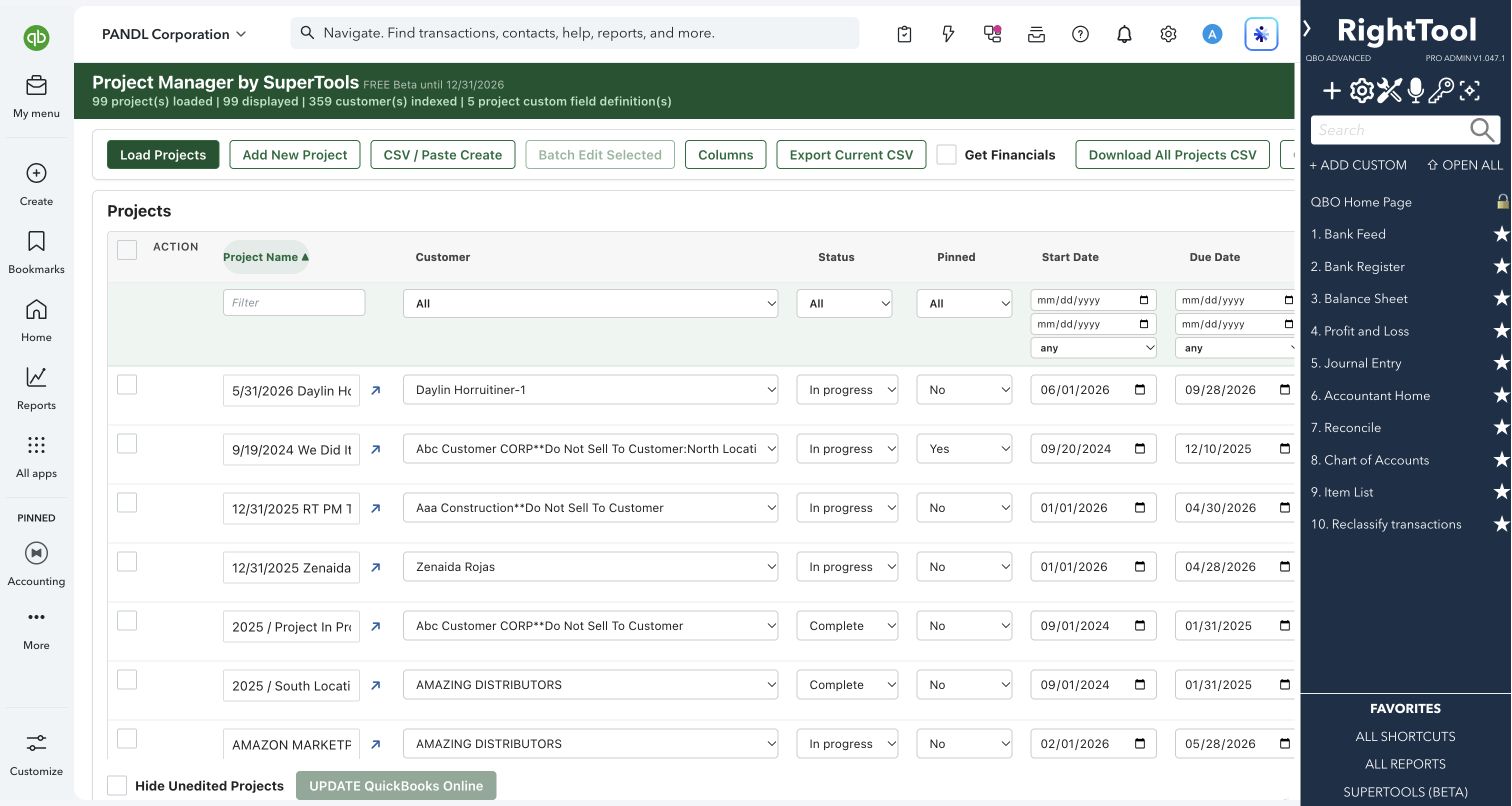
Create, edit and report on all your QuickBooks Online Projects from one grid that works like a spreadsheet.
Explore the tool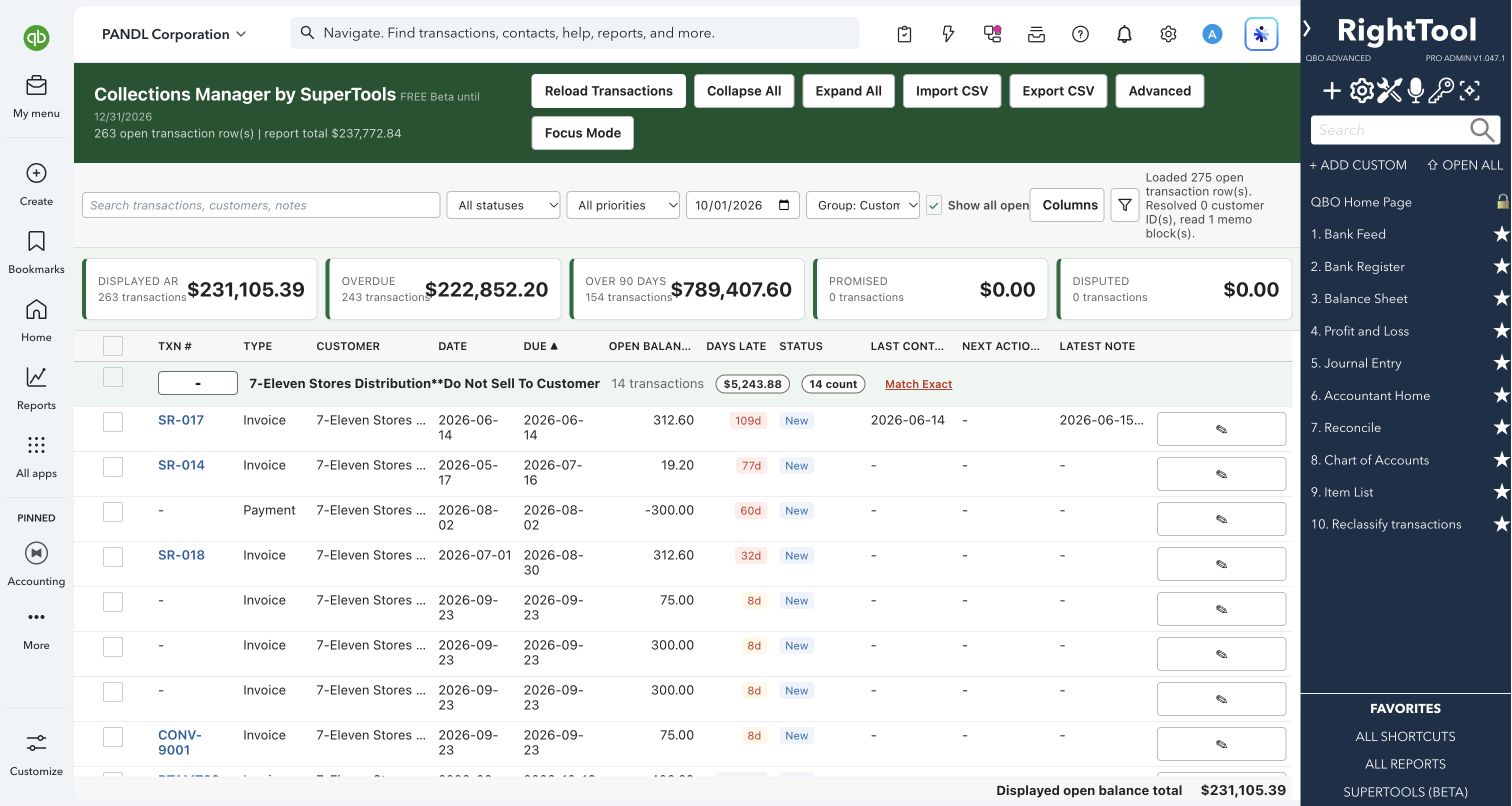
Turn your open invoices into a collections worklist, with call notes, follow-ups and batch write-offs.
Explore the tool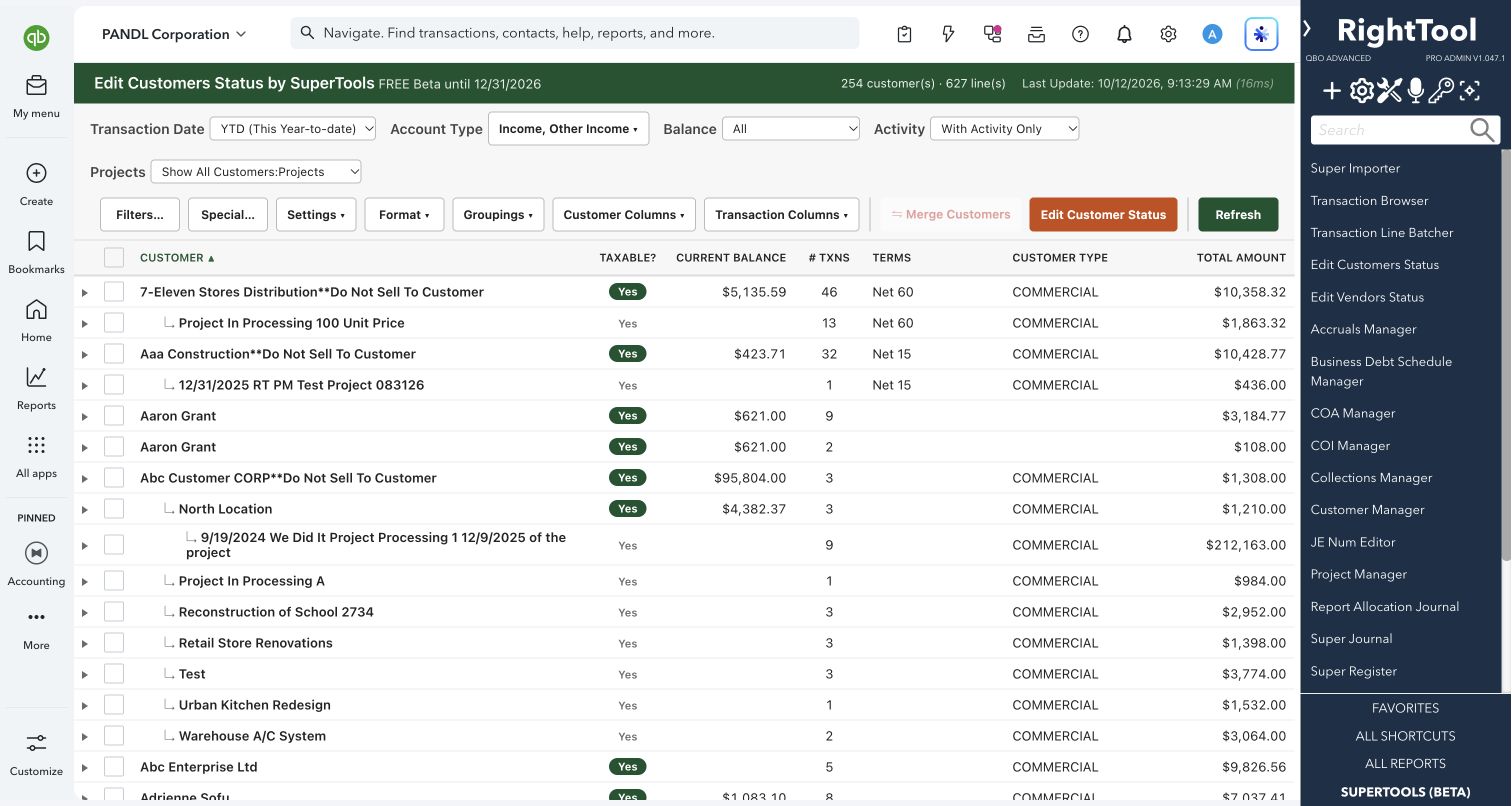
Batch-fix customer tax status, terms, customer type and custom fields, with each customer's transactions one click away.
Explore the tool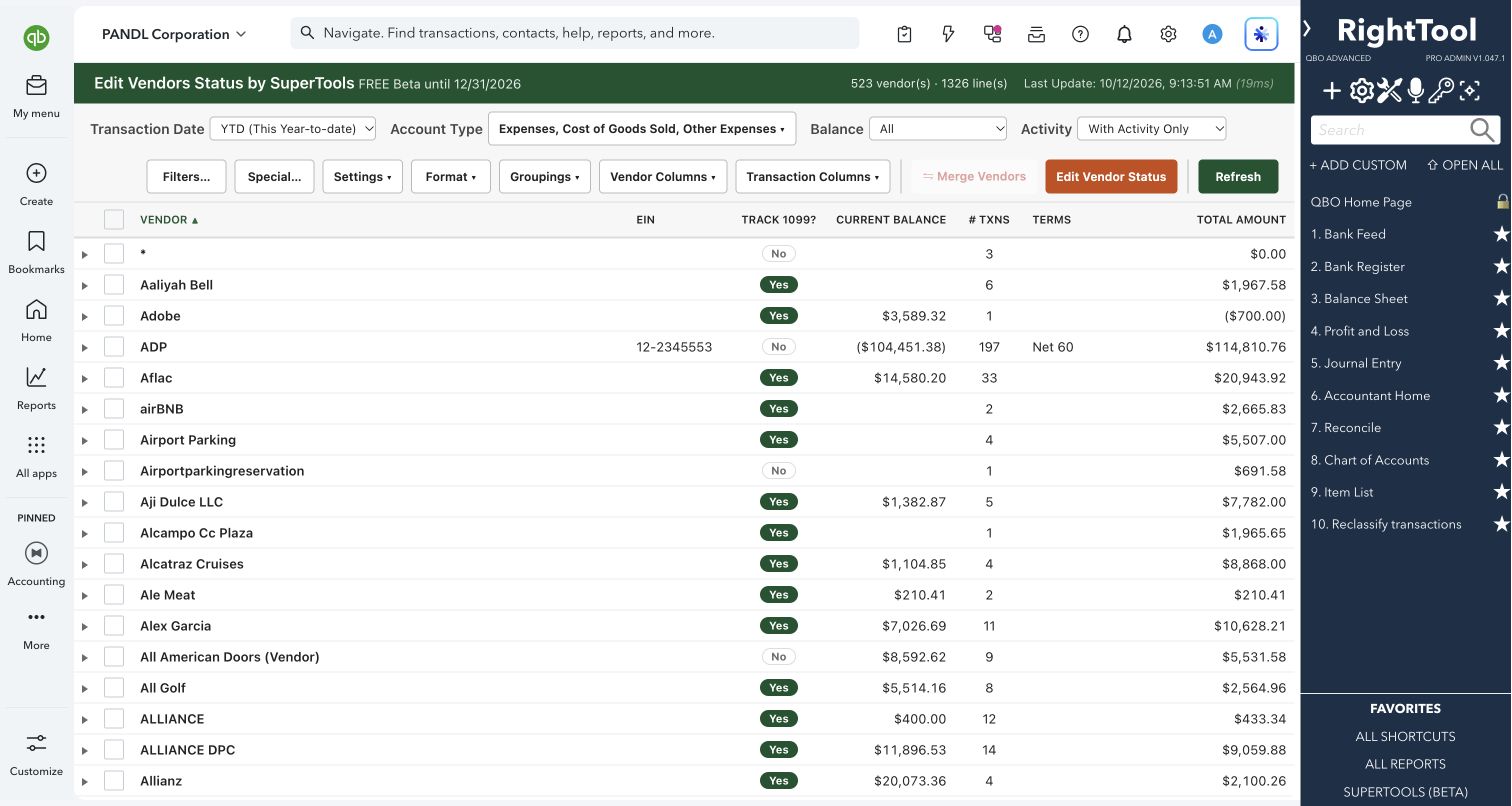
Get 1099 tracking, terms and default expense accounts right for every vendor, based on what you actually paid them.
Explore the tool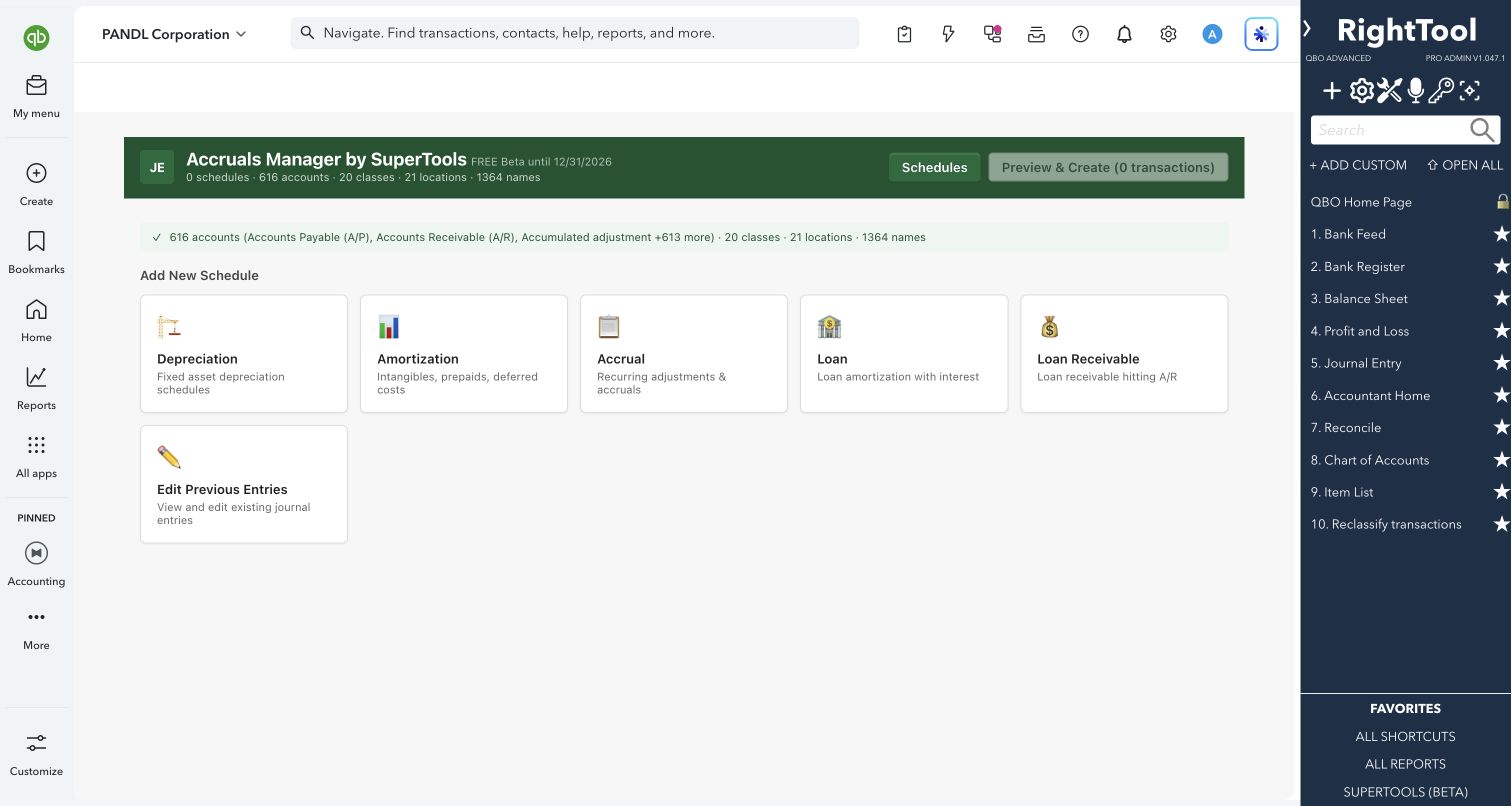
Set up a depreciation, amortization, accrual or loan schedule once, preview every period, then post the whole series of journal entries in one run.
Explore the tool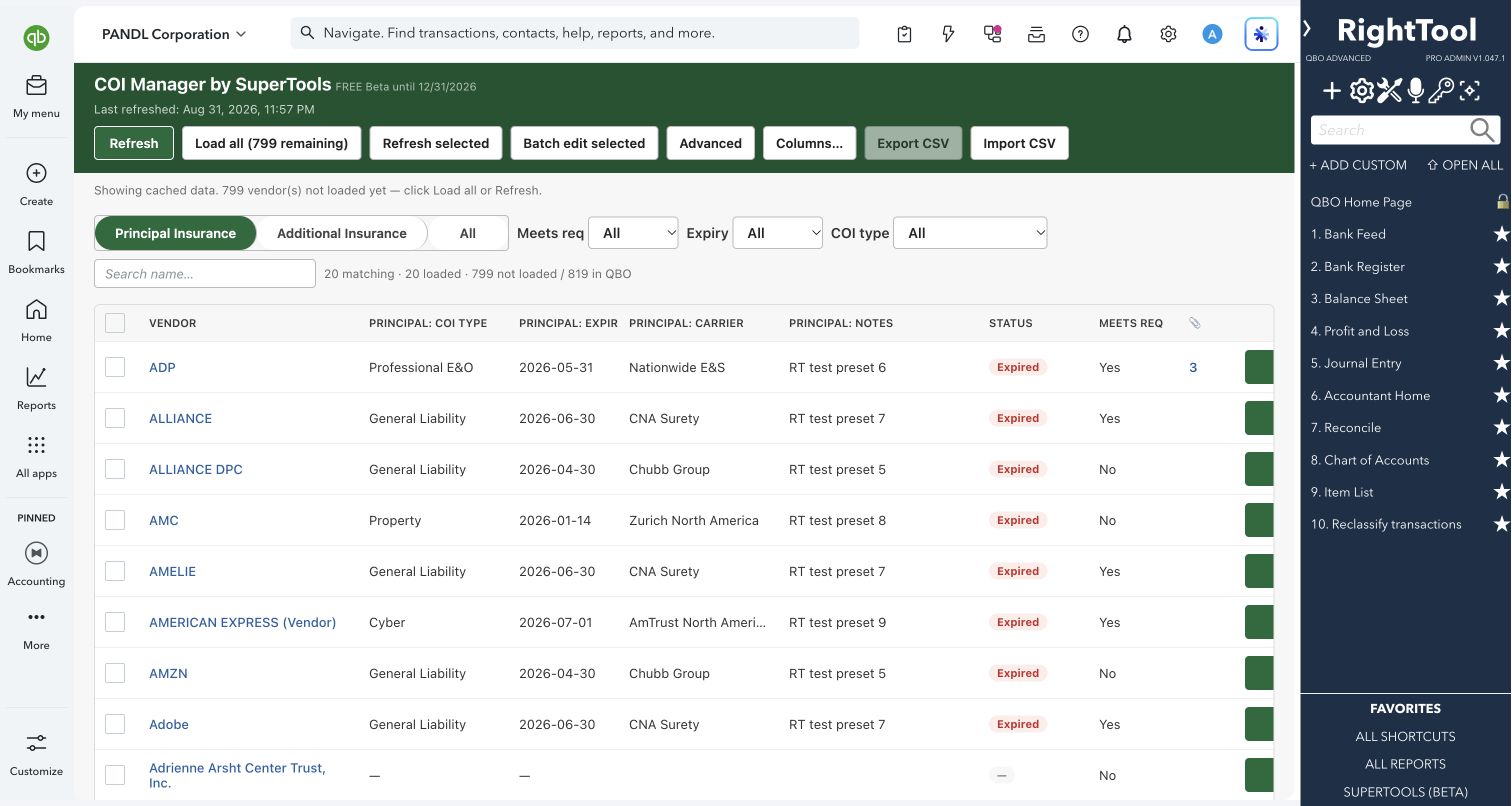
Track every vendor's certificate of insurance (coverage, limits and expiry dates) inside QuickBooks Online.
Explore the tool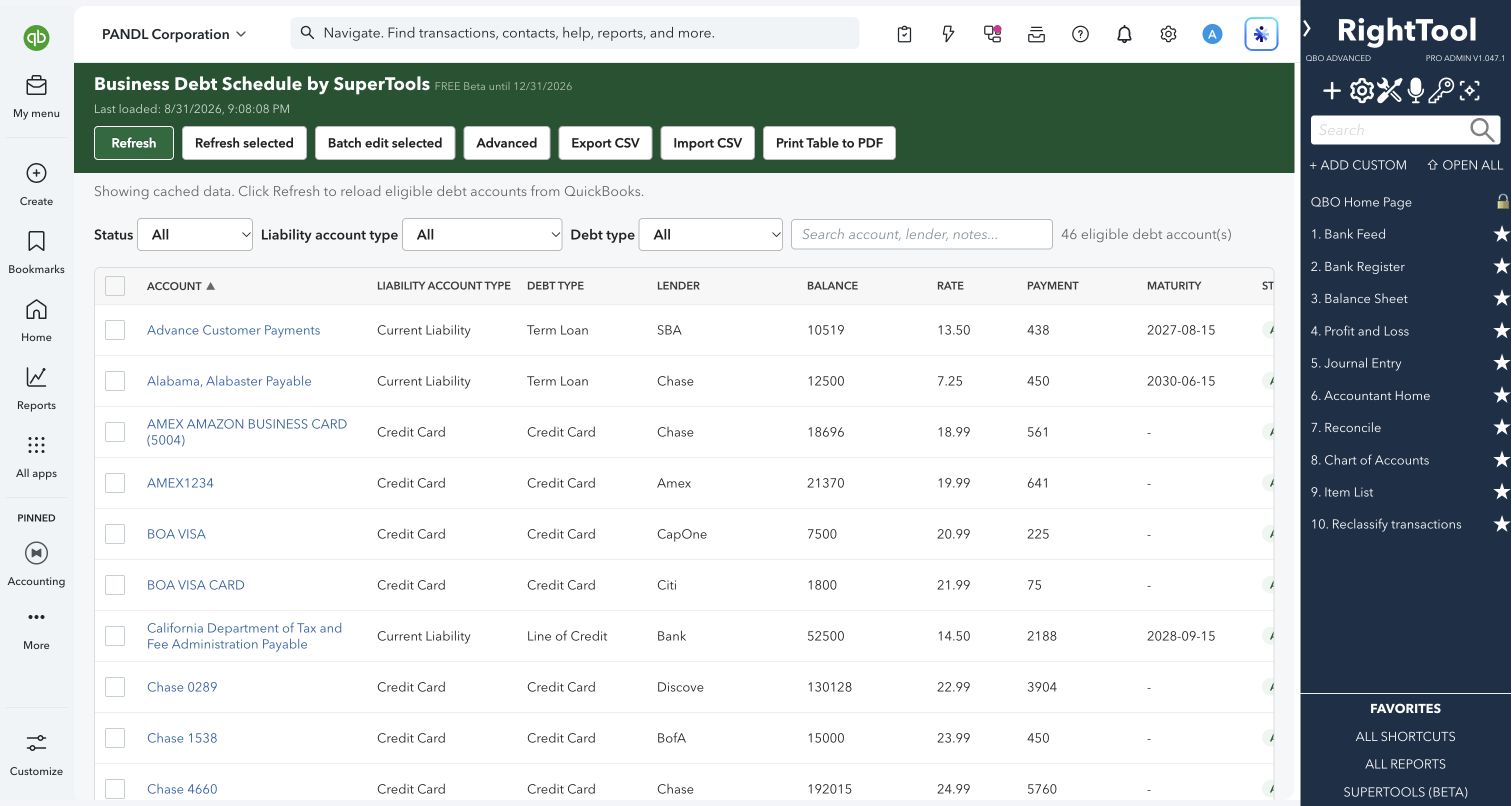
Turn your QuickBooks Online liability and credit card accounts into a debt schedule you can hand to a lender.
Explore the tool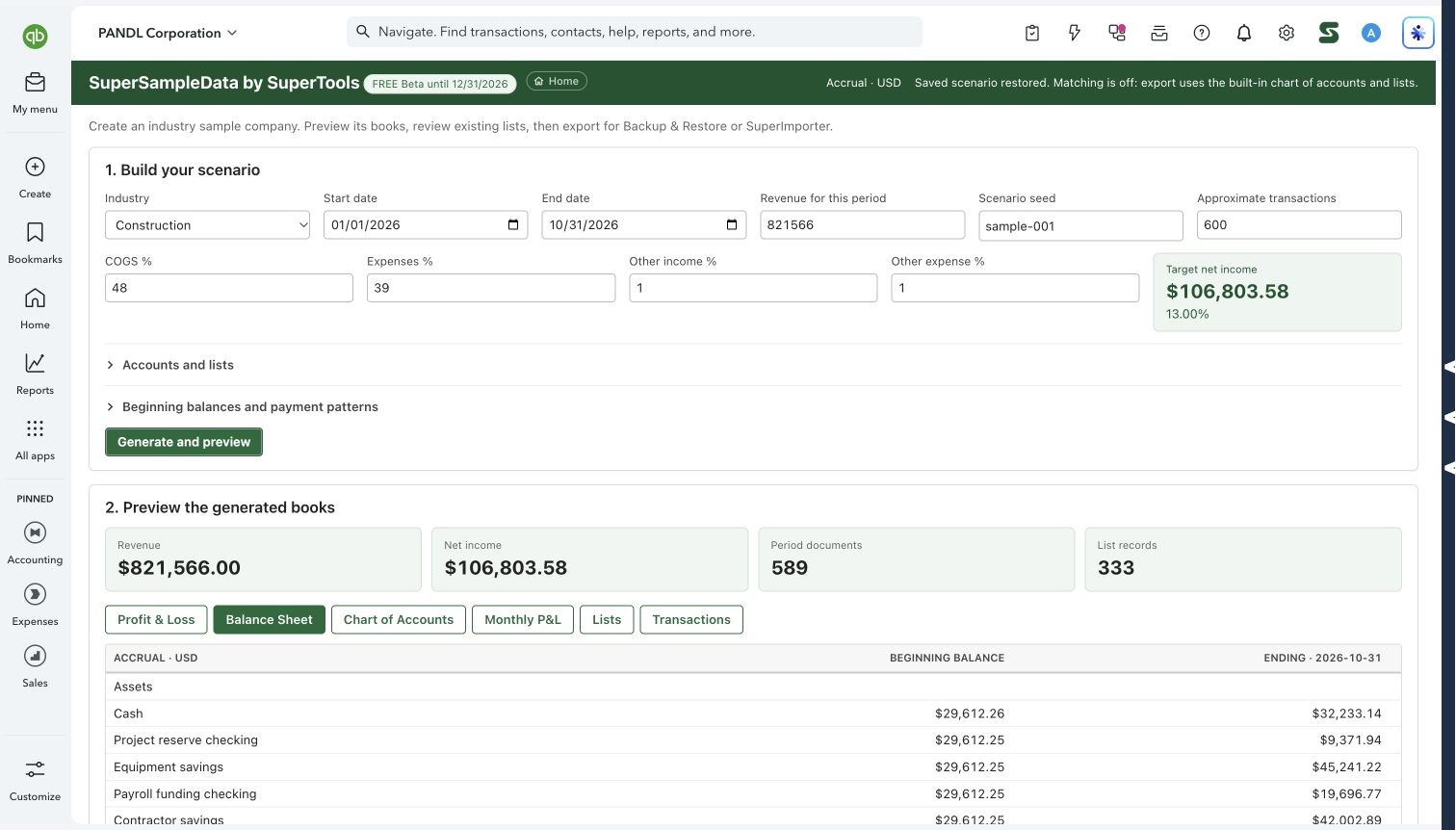
Generate realistic practice books for an industry, preview the financials, then export the scenario.
Explore the tool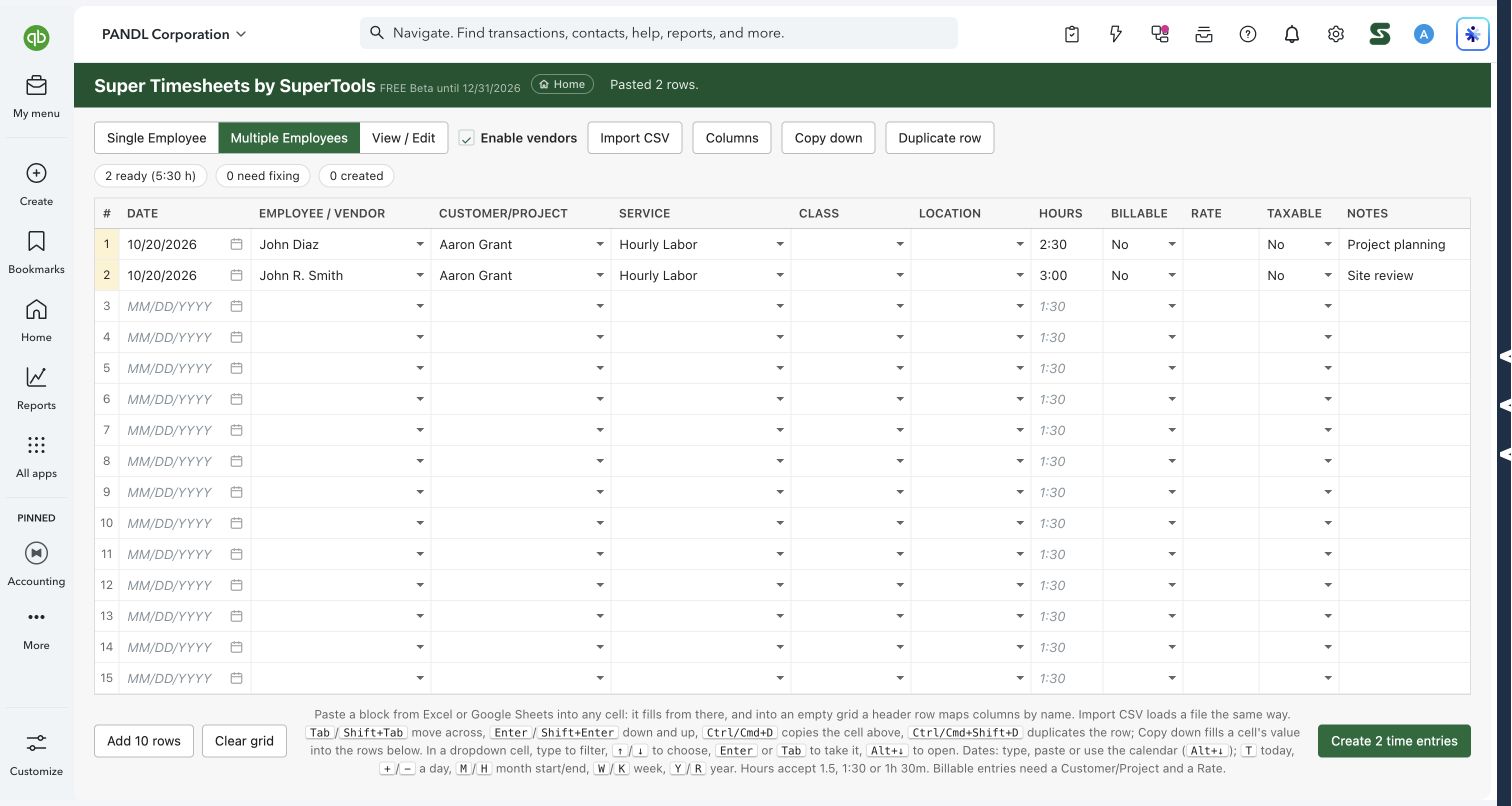
Paste time for one person or a whole team, validate it, and review existing time in one workspace.
Explore the tool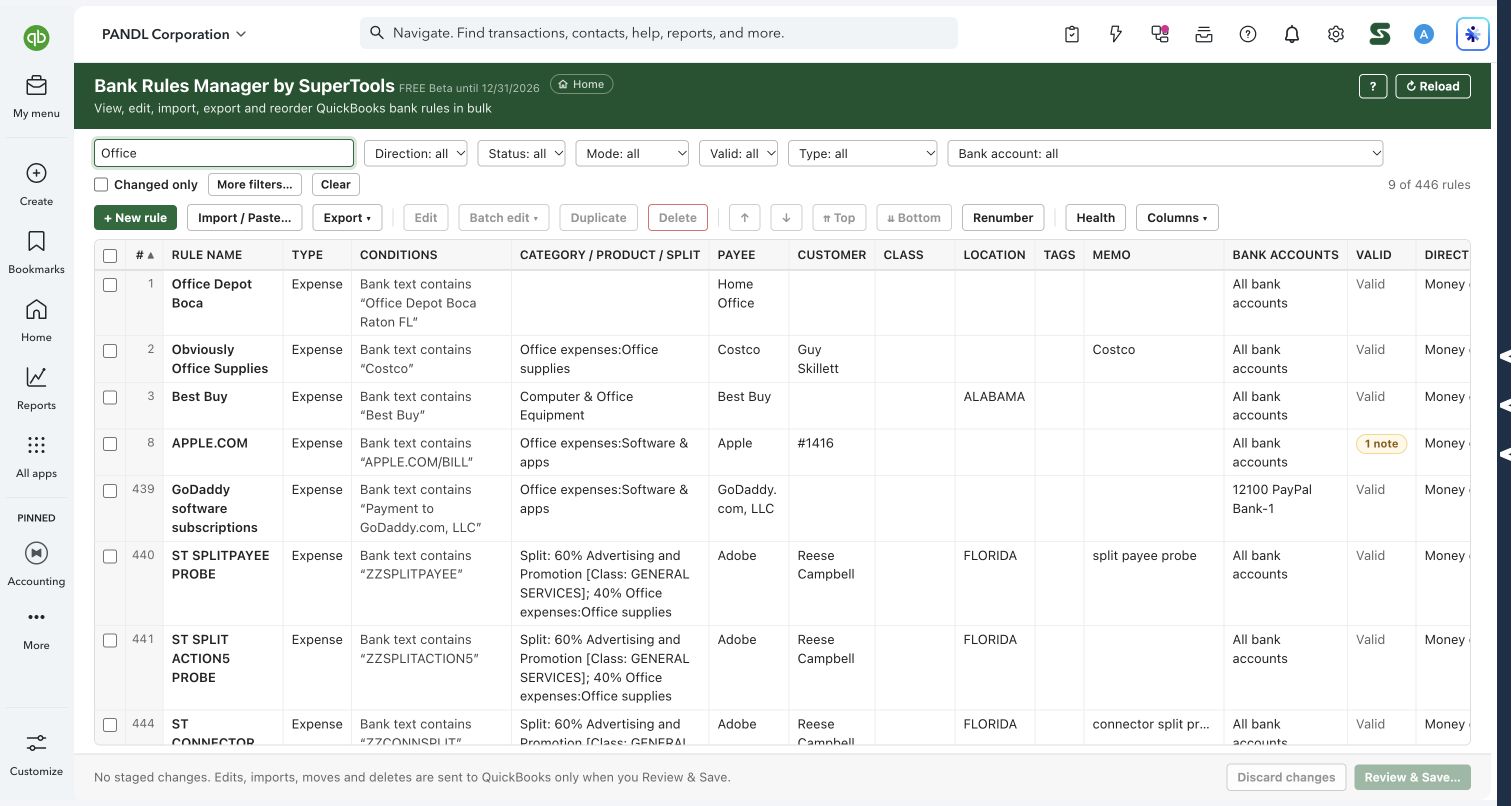
Review, edit, import and reorder bank rules from one grid, with staged changes before saving.
Explore the tool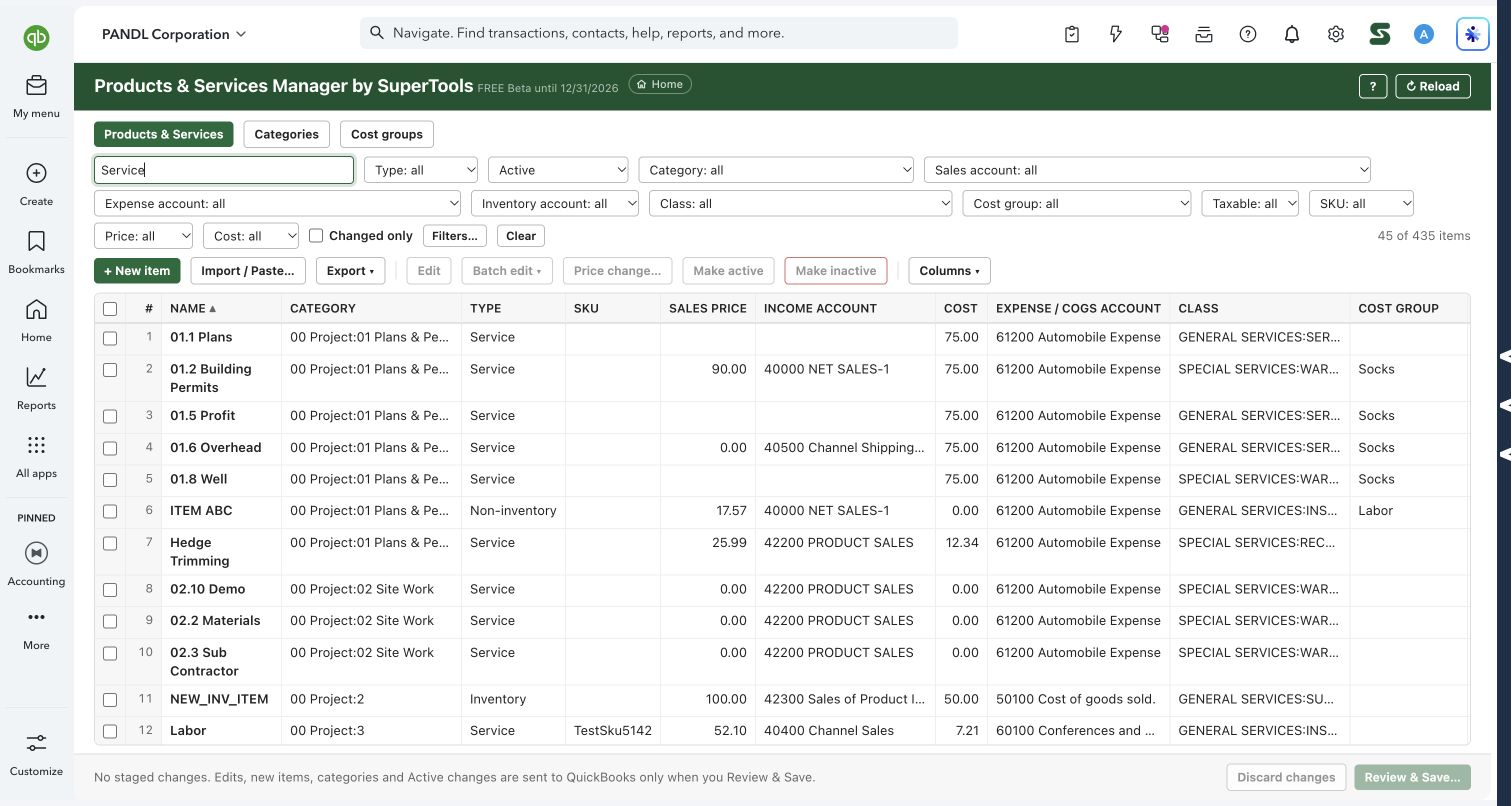
Manage items, account mappings, prices, categories and cost groups in one reviewable workspace.
Explore the tool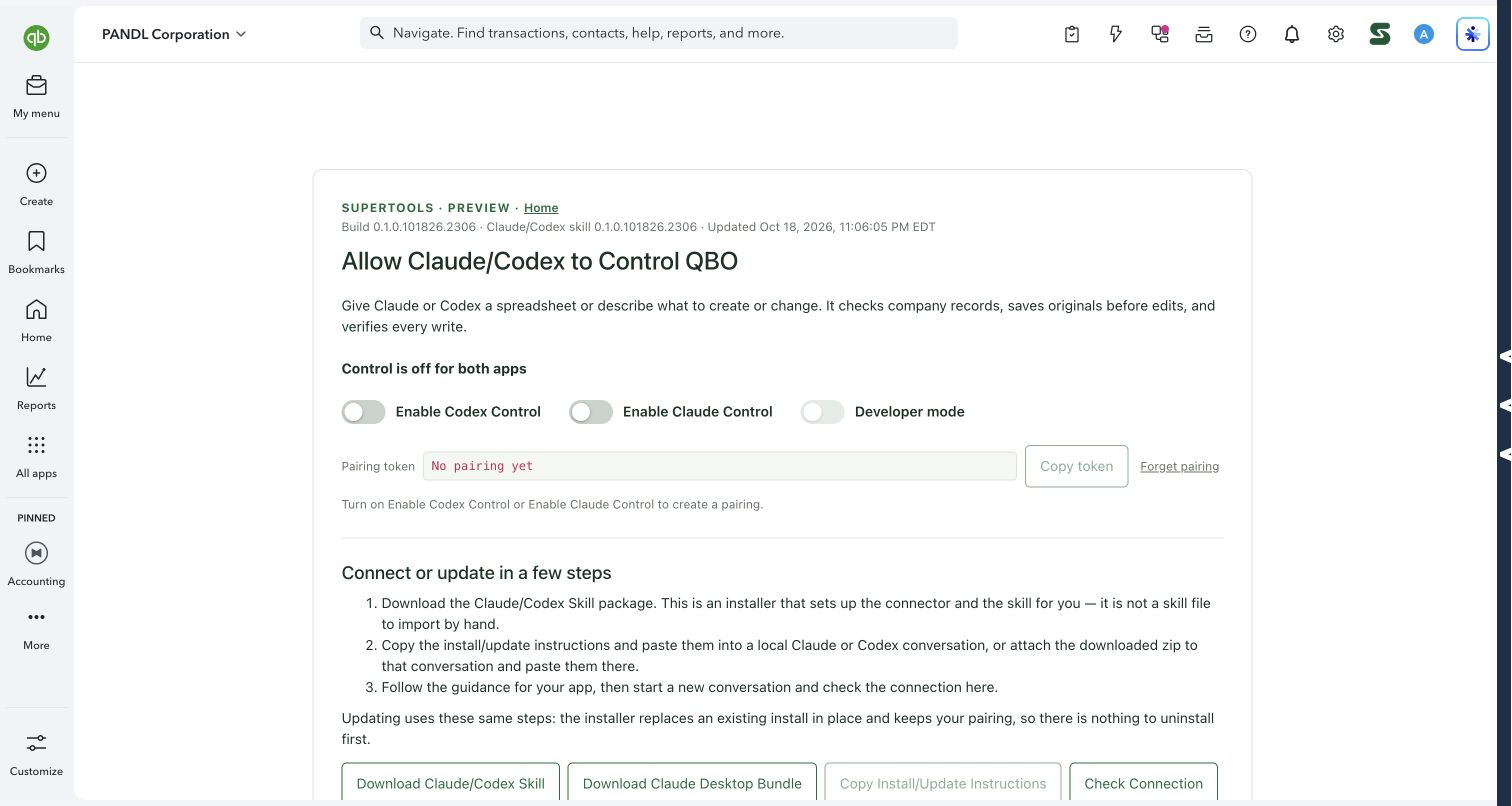
Ask Claude or Codex to read reports, find records and carry out supported QuickBooks work in plain language.
Explore the toolFind the transaction you need, across every page of results.
Explore the previewFree, read-only reporting with comparisons, drilldowns and exports.
Explore the previewSave a report pack once. Run it together for the next reporting period.
Explore the previewTry a different task, or clear your filters to see the full toolkit.
THE WHOLE PICTURE
| SuperTool | What it helps you do | QuickBooks data | Stage |
|---|---|---|---|
| SuperReports | 93 report choices, six Super Summary templates, cash-to-accrual worksheets and transaction drilldowns—inside QuickBooks Online. | Yes, with safeguards (running reports only reads) | Beta |
| SuperCustomReports | A new SuperTools page for reports you design yourself, now in early Beta. | Reads only | Coming soon |
| Transaction Browser | See every transaction line in one pivot-style view, and fix what you find on the same screen. | Yes, with safeguards (browsing only reads) | Beta |
| Transaction Line Batcher | Swap items, fix descriptions or add fees on the lines of hundreds of transactions at once. | Yes, with safeguards | Beta |
| Super Register | The QuickBooks Online account register, rebuilt for batch work, bulk entry and better filters. | Yes, with safeguards | Beta |
| Super Journal | A fast, keyboard-first journal entry screen that pastes from Excel and won't save an unbalanced entry. | Yes, with safeguards | Beta |
| JE Num Editor | Renumber, re-date and re-memo journal entries in bulk, with a preview and a duplicate check before anything changes. | Yes, with safeguards | Beta |
| Report Allocation Journal | Turn a report into a balanced journal entry: reallocate or adjust balances right from the numbers. | Yes, with safeguards (loading reports only reads) | Beta |
| Super Importer | Bring transactions and list records into QuickBooks Online from a spreadsheet, with name matching, review and error reports built in. | Yes, with safeguards | Beta |
| SuperBatch Transactions | Paste a bank or credit card spreadsheet and turn every row into a QuickBooks Online transaction. | Yes, with safeguards | Beta |
| SuperZeroNet | Create batches of zero-net checks and sales receipts for allocations and reclasses, straight from Excel. | Yes, with safeguards | Beta |
| COA Manager | Clean up, renumber and restructure your chart of accounts in bulk. | Yes, with safeguards | Beta |
| Backup & Restore | Copy a company's transactions out of QuickBooks Online to CSV, check them against QuickBooks' own numbers, and replay them into another company. | Yes, with safeguards (backups only read) | Early Alpha |
| Customer Manager | A simple CRM built on top of your QuickBooks Online customer list. | Yes, with safeguards | Beta |
| Project Manager | Create, edit and report on all your QuickBooks Online Projects from one grid that works like a spreadsheet. | Yes, with safeguards (financials only read) | Beta |
| Collections Manager | Turn your open invoices into a collections worklist, with call notes, follow-ups and batch write-offs. | Yes, with safeguards | Beta |
| Edit Customers Status | Batch-fix customer tax status, terms, customer type and custom fields, with each customer's transactions one click away. | Yes, with safeguards | Beta |
| Edit Vendors Status | Get 1099 tracking, terms and default expense accounts right for every vendor, based on what you actually paid them. | Yes, with safeguards | Beta |
| Accruals Manager | Set up a depreciation, amortization, accrual or loan schedule once, preview every period, then post the whole series of journal entries in one run. | Yes, with safeguards | Beta |
| COI Manager | Track every vendor's certificate of insurance (coverage, limits and expiry dates) inside QuickBooks Online. | Yes, with safeguards (vendor notes only) | Beta |
| Business Debt Schedule Manager | Turn your QuickBooks Online liability and credit card accounts into a debt schedule you can hand to a lender. | Yes, with safeguards (account descriptions only) | Beta |
| SuperSampleData | Generate realistic practice books for an industry, preview the financials, then export the scenario. | Yes, with review (browsing/previews only read) | Beta |
| Super Timesheets | Paste time for one person or a whole team, validate it, and review existing time in one workspace. | Yes, with review (browsing/previews only read) | Beta |
| Bank Rules Manager | Review, edit, import and reorder bank rules from one grid, with staged changes before saving. | Yes, with review (browsing/previews only read) | Beta |
| Products & Services Manager | Manage items, account mappings, prices, categories and cost groups in one reviewable workspace. | Yes, with review (browsing/previews only read) | Beta |
| Allow Claude/Codex to Control QBO | Ask Claude or Codex to read reports, find records and carry out supported QuickBooks work in plain language. | Yes, with review (browsing/previews only read) | Beta |
| Super Search | Find the transaction you need, across every page of results. | Reads only | Coming soon |
| SuperReports LITE | Free, read-only reporting with comparisons, drilldowns and exports. | Reads only | Coming soon |
| Super Batching Reports | Save a report pack once. Run it together for the next reporting period. | Reads only | Coming soon |
SUPERTOOLS FREE · COMING SOON
These free features are not publicly available yet.
They are coming to the SuperTools extension.
Find transactions with date, amount, type and other filters. Search is free and read only. The View as Report workflow requires SuperTools Suite access.
Explore Super Search →Run supported standard reports, compare, drill down and export. The free edition is read only; Super Summary templates, saved views, comments, highlights and editing are part of full SuperReports.
Explore SuperReports LITE →View the current SuperTools extension ↗
Paid tools and Suite features are separate from the free edition. During beta, eligible RightTool PRO users can access the Suite through December 31, 2026.
YOUR TOOLKIT. YOUR TEAM.
Pricing by firm user.
No per-client or QBO company-file charges.
For the first firm user.
$8/month per additional firm user.
For the first firm user.
$15/month per additional firm user.
One first-user subscription, plus additional firm users.
/month
1 firm user · $80/month/month
1 firm user · $150/monthStandalone subscription totals. SuperCombo pricing is available through RightTool Pro.
Download the standalone SuperTools extension from the Chrome Web Store. SuperTools is a separate installation from RightTool and opens full-page tools right inside QuickBooks Online.
Download SuperToolsOpen the SuperTools listing in the Chrome Web Store and add the extension to Chrome, Edge or Brave.
Sign in at righttoolpro.com with your RightTool PRO account. SuperTools picks up your license automatically.
Open QuickBooks Online, choose Home in the SuperTools S menu, and enable the tools you want to use.
A FEW GOOD QUESTIONS
Practical details before you get started.
SuperTools is a growing Suite of 29 full-page tools for QuickBooks Online from Accounting Pro Tools LLC, the makers of RightTool. It covers reporting, transaction cleanup, journal entries, imports, customers, vendors, projects and schedules.
Install SuperTools for QuickBooks Online from the Chrome Web Store. It is a standalone extension; installing the RightTool extension is not required.
Super Search and SuperReports LITE are coming soon as free features; they are not publicly available yet. Access to the other beta tools is available to RightTool PRO users. Install the separate SuperTools extension, then sign in at righttoolpro.com with your PRO account so SuperTools can recognize your license.
The standalone SuperTools extension is available now. Standalone subscriptions launch on January 1, 2027. A Single SuperTool Subscription is $80/month for the first firm user, plus $8/month per additional firm user. The SuperTools Suite is $150/month for the first firm user, plus $15/month per additional firm user, with 29 SuperTools and growing.
Already a RightTool Pro user? Starting January 1, 2027, add a SuperTools subscription at 33% off with the SuperCombo subscription discount. SuperTools and RightTool remain separate extensions. Visit righttoolpro.com for subscription pricing.
No. Pricing is based on firm users, with no charge per client or QuickBooks Online company file. See For Accounting Firms for details and a team-price calculator.
No need to log in to another app to do the work. Unlock additional functionality right within QuickBooks Online, and open your tools from the SuperTools sidebar.
The SuperTools API requires the extension to be installed and enabled in a Chromium-based browser, such as Chrome, Edge or Brave. SuperTools does not work in Safari or Firefox.
Only when you ask them to. Looking at, filtering, grouping and exporting data only reads your books. A tool writes to QuickBooks when you press its save, apply, post or create button. Batch changes show you what will change first, as a preview, a review screen or a confirmation with counts. A few single actions take effect on one click, and the tool's section says so, for example Super Register's delete and un-reconcile speed keys and Super Journal's "Make active". Several tools also re-read a transaction just before saving, so they don't overwrite a change made in the meantime. Many read it back afterward to confirm what QuickBooks stored. Each tool's "Safe by design" section says exactly which of these it does.
SuperCustomReports never creates, changes or deletes anything in QuickBooks. Several other tools are read-only for most of what they do and write only when you use a specific editing feature. Running reports in SuperReports, browsing in Transaction Browser, taking a backup in Backup & Restore and turning on Get Financials in Project Manager all only read.
It depends on the tool, and QuickBooks itself has no undo for most of these changes:
The batch editing tools ask before they change reconciled transactions. Transaction Browser skips them unless you tick an acknowledgement. Transaction Line Batcher needs an explicit acknowledgement. Super Register waits until you say yes. Batch Edit in SuperReports asks you to confirm before changing them.
Several tools save their details inside QuickBooks itself, so they stay with the company file and there is no separate database to sync:
Your existing text in those fields is kept. Layouts, Saved Views, templates and similar preferences are saved in your browser, and several tools keep them separately for each company.
This guide doesn't promise support for any particular subscription level. Some tools note their own limits:
SuperTools are in Beta. Backup & Restore is in Early Alpha, so try it in a test company before you use it on client books. SuperCustomReports is an early preview: the page is in place, and its reports arrive in upcoming builds.
SuperTools is from Accounting Pro Tools LLC, the makers of RightTool. SuperTools is not affiliated with Intuit. QuickBooks and QuickBooks Online are trademarks of Intuit Inc.
YOU KNOW QUICKBOOKS. NOW GO FURTHER.